TABLE OF CONTENTS
Overview
We are providing you with the steps to integrate your F5 Cloud (Via API) with ADR SIEM so One can have Comprehensive visibility and Proactive Threat Detection in your Environment. There will be a log transfer between your firewall to APE(Analytics and Policy Engine) via CCE (Collection and Control Engine ).
Steps Of Configuration
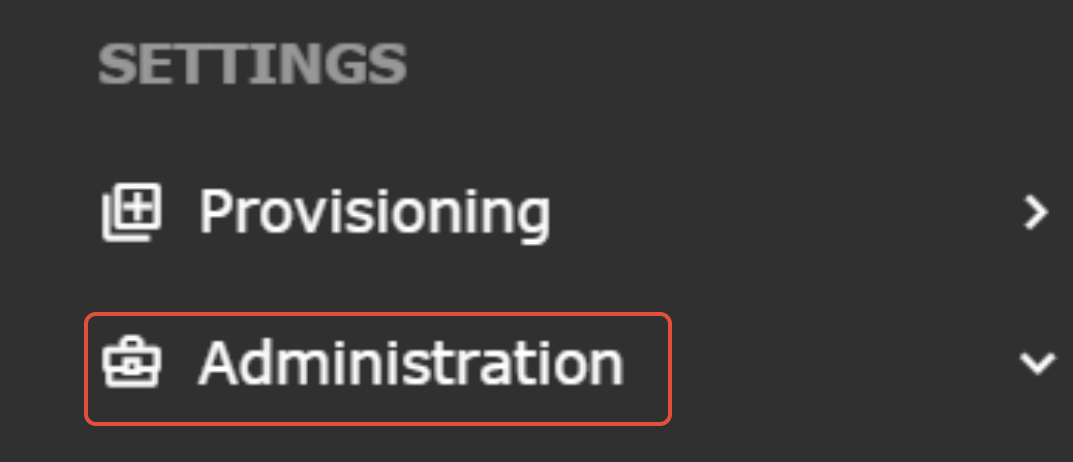
Step 1. Navigate to Administration by clicking on the Administration tab located in the menu bar of the application.
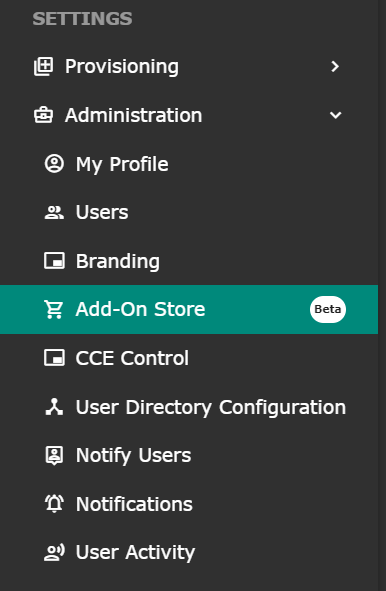
Step 2. Drop down Administration by clicking on the downward-facing arrow next to the 'Add on store' option in the menu.
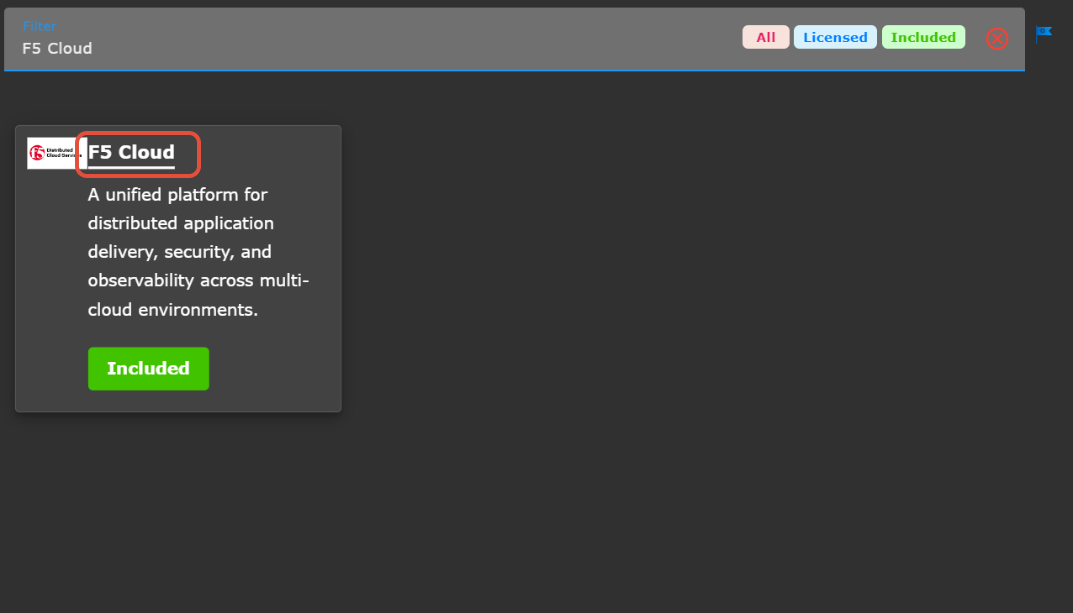
Step 3: On Filter search for F5 Cloud, and then click on F5 Cloud.
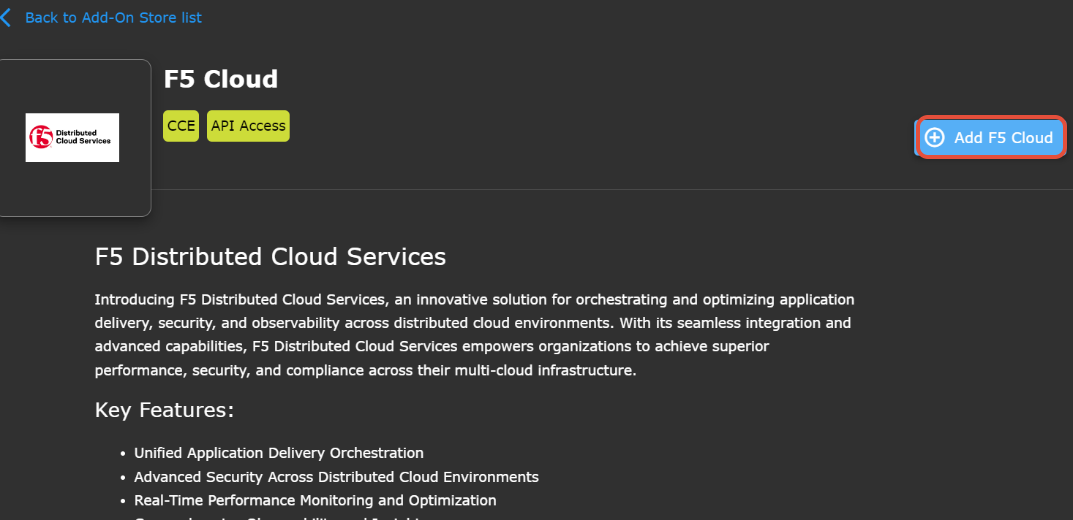
Step 4: Click on Add F5 Cloud
Prerequisites
In the F5 Cloud console, you must generate an API token.
To create an API token:
See Generate API Tokens section to obtain API Token -
 Credentials | F5 Distributed Cloud Tech Docs
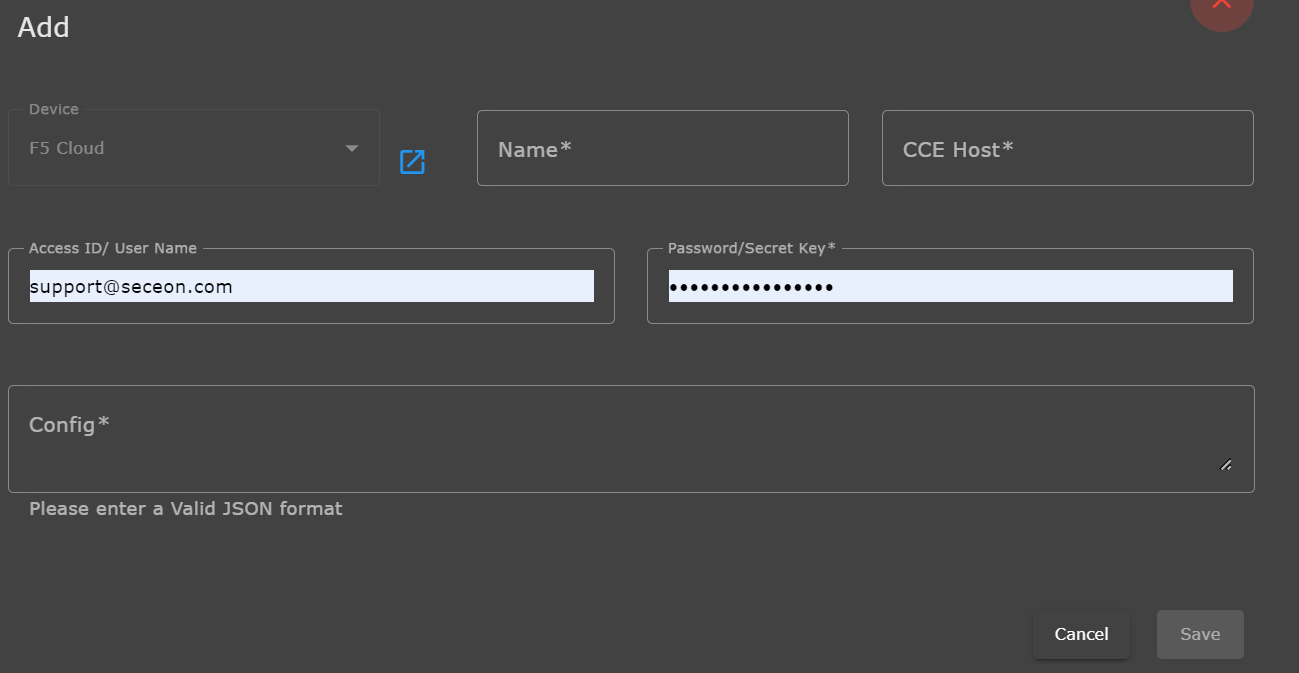
To add the F5 Cloud API method support follow the steps that are mentioned below.
Device: Select the name of the device 'F5 Cloud' in this section.
- Name: We can take anything here according to our interest(mini. 3 character).
CCE Host: Enter the CCE IP.
Password/Secret Key: Enter API Token.
Config: Now in valid JSON Format add F5 Cloud API host and namespace in JSON : Please refer below example:
{"host": "<f5-api-host>", "namespace": "<namespace>"}
Click on the Save button.
Verification (MSSP Only)
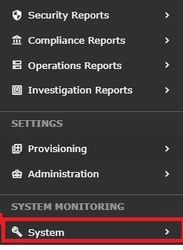
STEP 1: Log in to UI >> SYSTEM
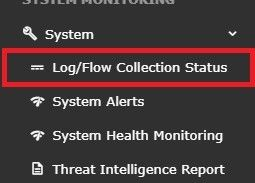
STEP 2: >> Logs and flows collection status
STEP 3: >>To verify the source device IP from the UI:
Log in to the user interface
Navigate to the "SYSTEM" section
Look for the "SOURCE DEVICE IP"
Check the IP address that is displayed
Compare the IP address displayed against the expected source device IP
This will allow you to ensure that the system is properly identifying the source device IP and that it matches the expected IP address.

Was this article helpful?
That’s Great!
Thank you for your feedback
Sorry! We couldn't be helpful
Thank you for your feedback
Feedback sent
We appreciate your effort and will try to fix the article