Table of Contents
Overview
This document provides the steps to integrate AWS CloudTrail and AWS WAF audit logs with ADR SIEM. By forwarding these logs, organizations gain comprehensive visibility into AWS activity, enabling real-time threat detection, compliance auditing, and enhanced security monitoring.
Prerequisites
Before starting the configuration, ensure you have:
-
AWS Console Access with administrator rights (to configure CloudTrail, CloudWatch, and IAM).
-
An active AWS CloudTrail trail (new or existing) and CloudWatch Log Group.
-
IAM User credentials with programmatic access (Access Key ID & Secret Access Key).
-
CCE (Collection and Control Engine) connectivity to AWS APIs over HTTPS (port 443 outbound must be allowed).
-
ADR OTM UI access with rights to add cloud devices.
IAM User Permission
Assign the following IAM permissions to the user/role that will be used by ADR OTM:
-
CloudWatch Logs ReadOnlyAccess
-
Amazon S3 ReadOnlyAccess
-
ListBucket and GetObject
AWS Side Configuration
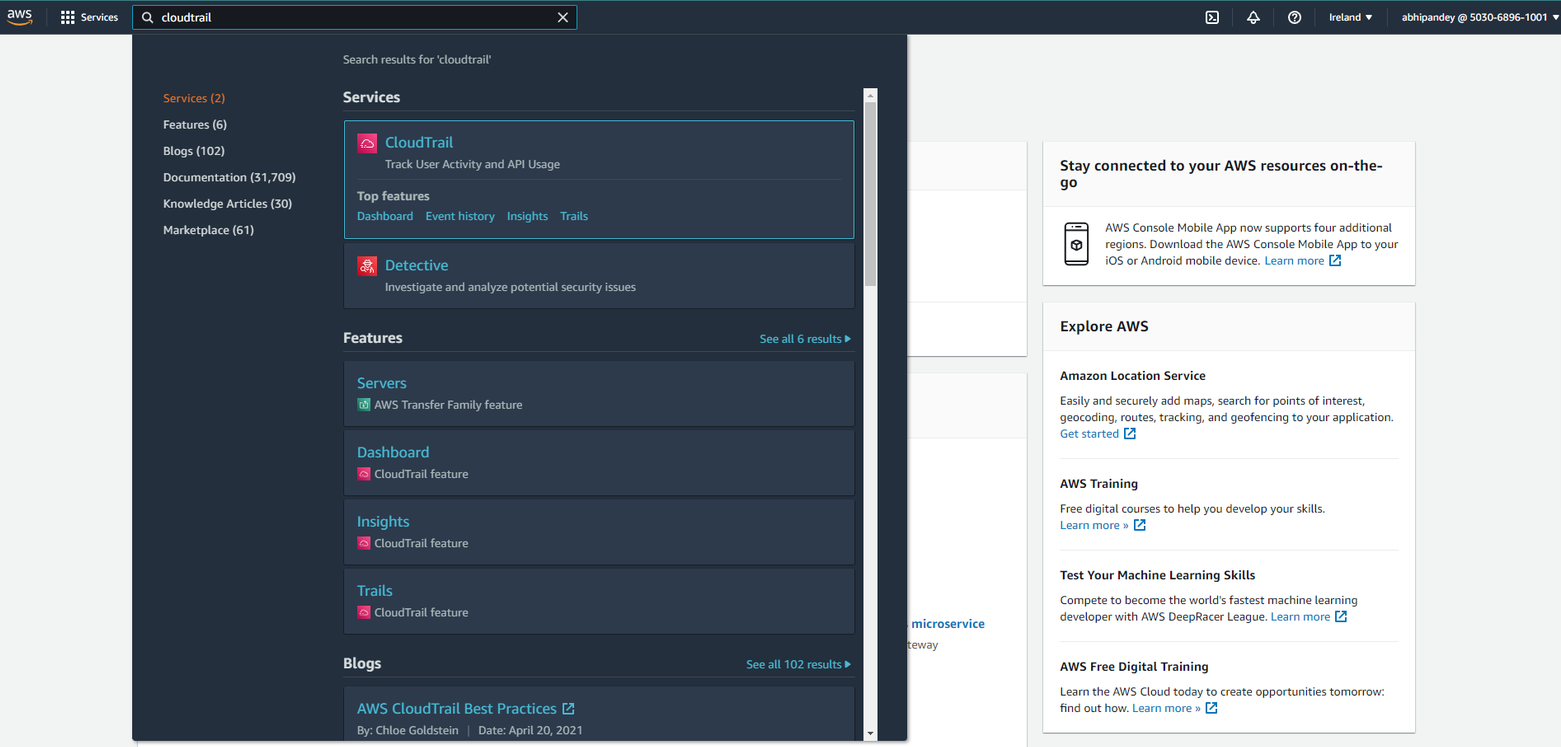
1. Log into the AWS Console and in the search type 'cloud trail'
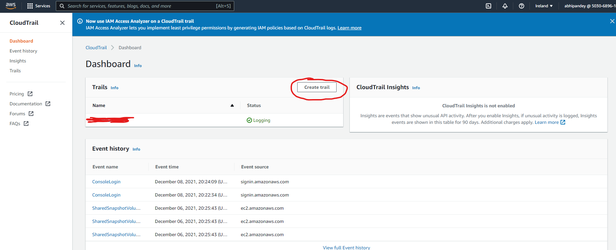
In the dashboard you can either choose to use an existing trail or create a new trail.
2(A). If choosing to create a new trail click on Create Trail button
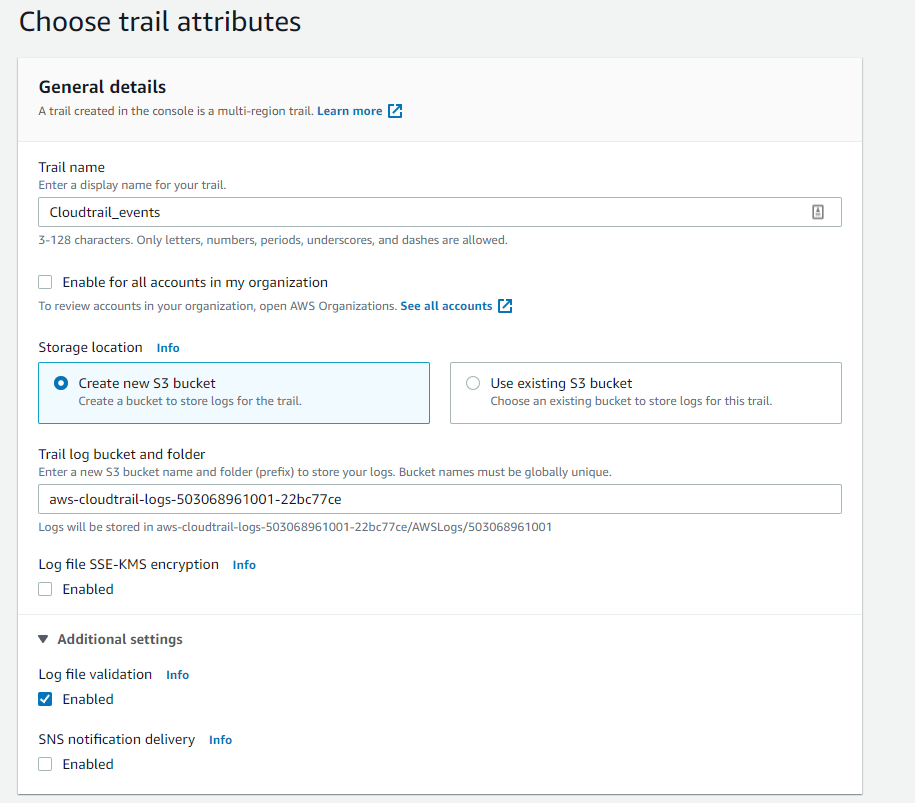
- a) Enter a Trail Name
- b) Choose to create a new S3 bucket or save to an existing S3 bucket
- c) Disable Log file SSE-KMS encryption
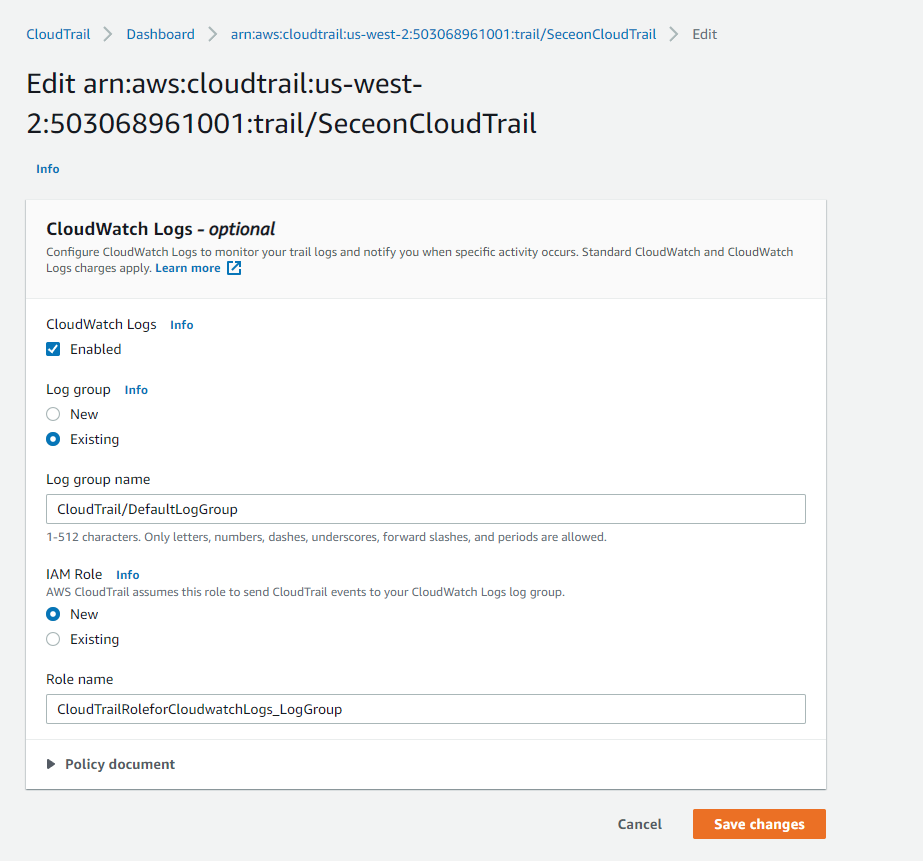
- d) Enable CloudWatch logs.
- e) Create a new Log group name and note it down
- f) Create a New IAM Role called CloudtrailRoleforCloudwatchLogs_{trail-name}
- g) Under events choose Management events, API activity - Read and Write
- h) Review and finally Create a Trail
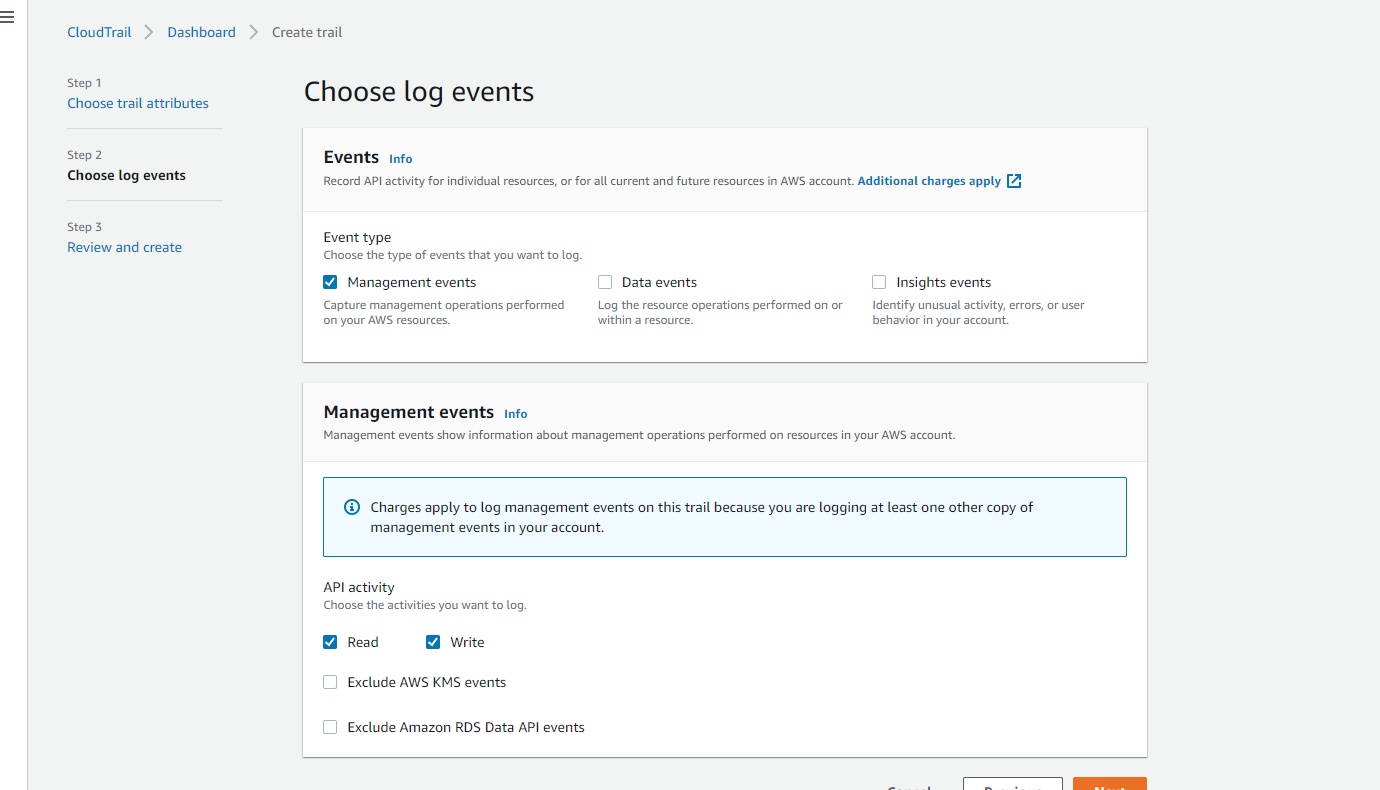
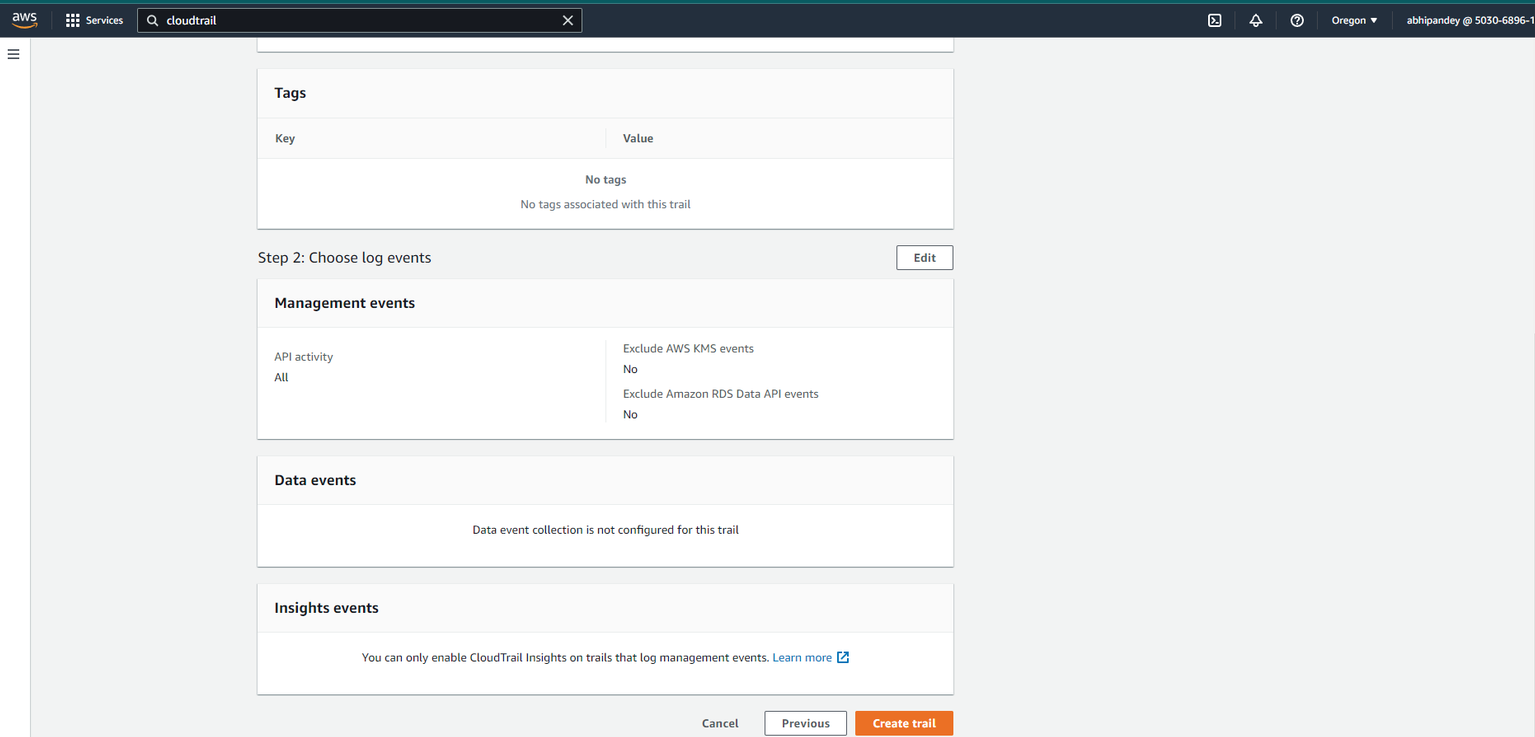
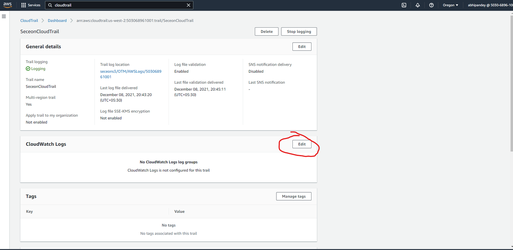
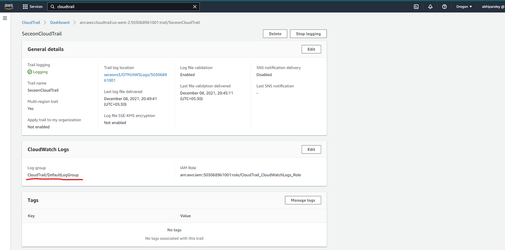
2(B) If using an existing trail, click on it and check if CloudWatch logs are configured for the trail.
If yes, then note down the CloudWatch Log Group name and use it for configuration.
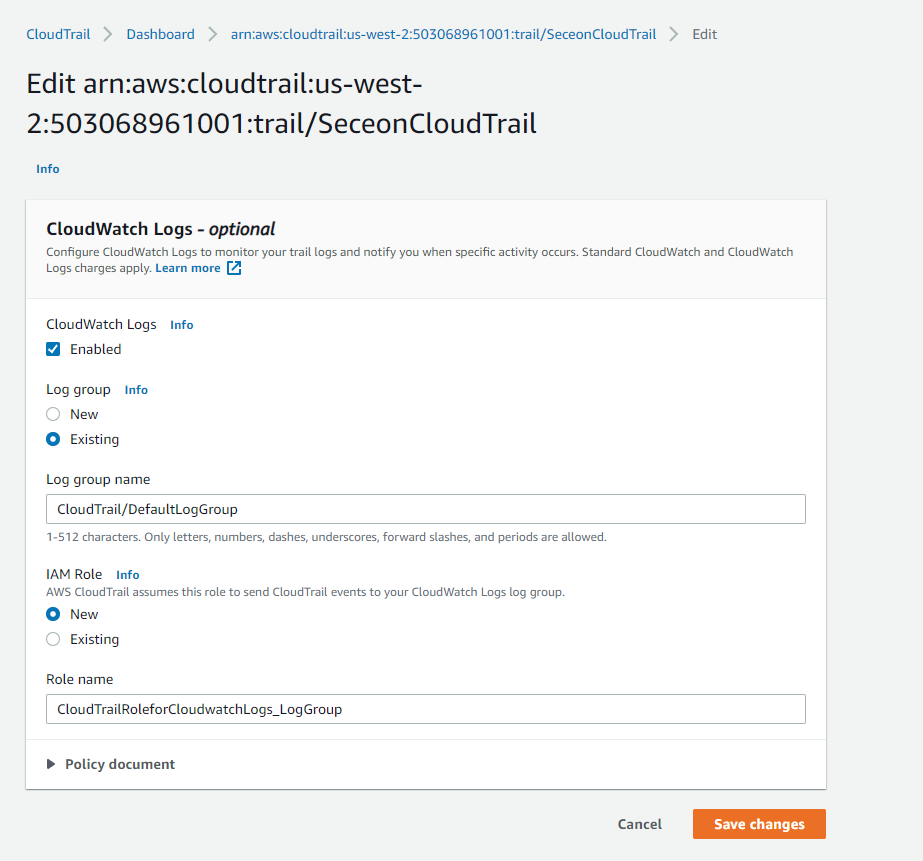
If not, then CloudWatch Logs > Edit
- a) Enable CloudWatch logs.
- b) Create a new Log group name and note it down
- c) Create a New IAM Role called CloudtrailRoleforCloudwatchLogs_{trail-name}
- d) Save changes and proceed.
ADR OTM Configuration
-
Open the ADR OTM UI.
-
Navigate to: Tenant → Settings → Provisioning → Cloud Devices → AWS Configuration.
-
Open Configure Audit Services.
-
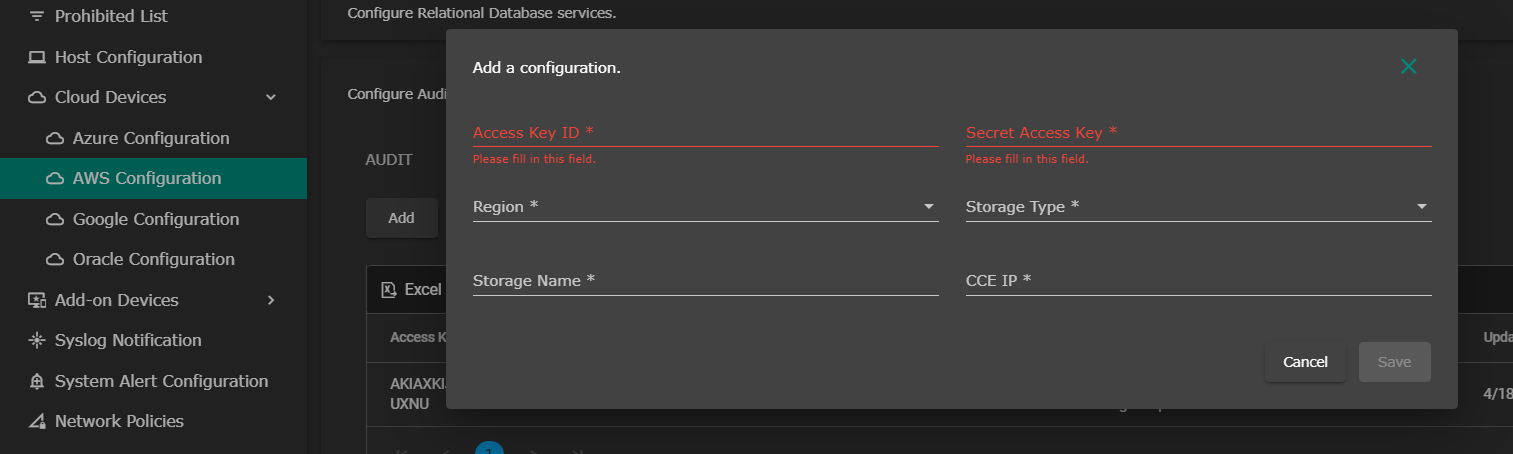
Click on Add.
-
Fill in details:
-
AWS Access Key ID → Enter the Access Key ID.
-
AWS Secret Access Key → Enter the Secret Access Key.
-
AWS Region → Select the region of the CloudWatch Log Group.
-
AWS Storage Type → Enter the storage type (e.g., S3, CloudWatch).
-
AWS Storage Name → Enter the storage name (bucket name or log group).
-
-
Click Save to apply.
Verification (MSSP Only)
From ADR OTM UI
-
Log in to the ADR OTM.
-
Navigate to System → Logs and Flows Collection Status.
-
Ensure that logs from AWS CloudTrail/WAF are visible and the source device is correctly reflected.
Was this article helpful?
That’s Great!
Thank you for your feedback
Sorry! We couldn't be helpful
Thank you for your feedback
Feedback sent
We appreciate your effort and will try to fix the article