TABLE OF CONTENTS
Overview
Using this document to configure Linux server with the CCE, CCE pulls the logs and redirect it to APE.
For this configuration we use UDP port 514.
Steps of Configuration
- Login as root user on the server
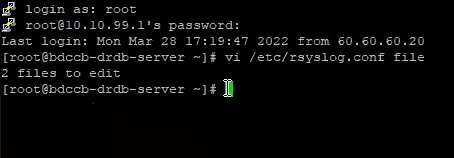
- cd /etc should be the first command ran on server, (to get inside /etc directory)

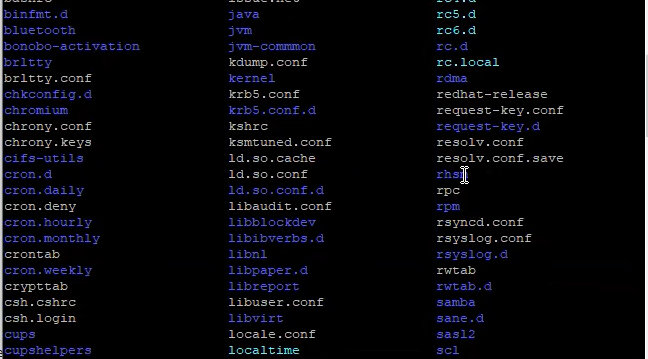
- ls to check the list, (similar list will appear)
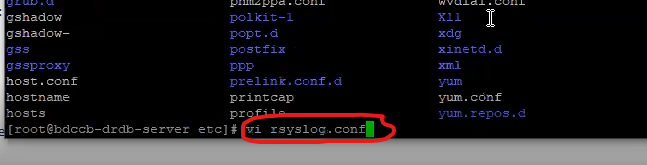
- vi rsyslog.conf command need to be ran next and enter
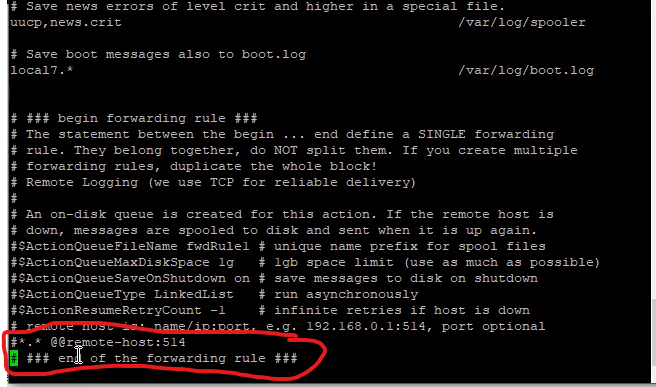
- Comment out below lines:
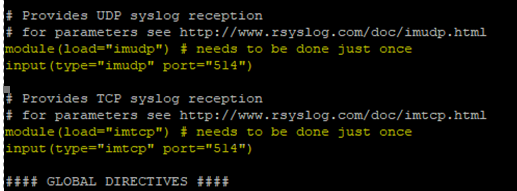
- Scan and find the red marked line:
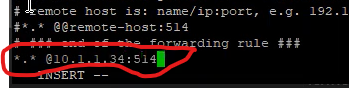
- Once done type the command
(Note: Press i and then insert the following changes, to save the changes press Esc then write :wq! and enter.)
*.* @CCE_IP:514
- Run the command : service rsyslog restart.(Restart rsyslog service .)

- To check the status type the command service rsyslog status

Verification (MSSP Only)
Verification through UI
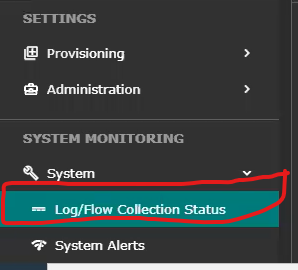
- Open UI >>System tab >> Logs and flows collection status
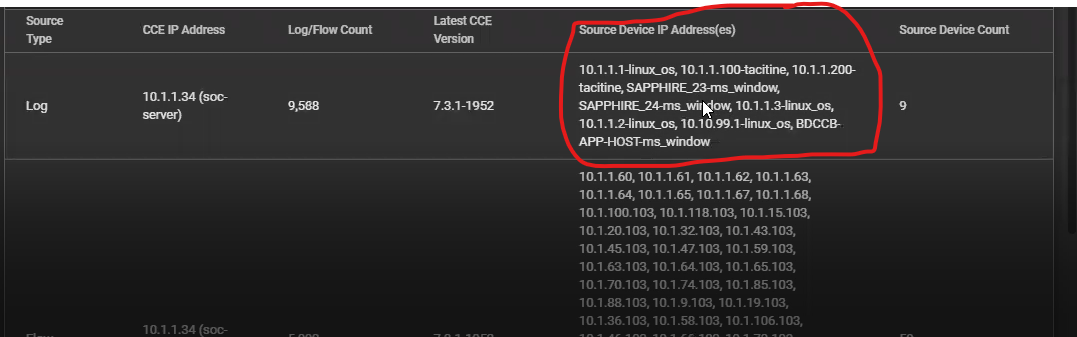
- The IP will reflect below source device IP
Verification Through CCE server
- Run the command " sudo tcpdump -i any port 514 and host <IP address>

Was this article helpful?
That’s Great!
Thank you for your feedback
Sorry! We couldn't be helpful
Thank you for your feedback
Feedback sent
We appreciate your effort and will try to fix the article