TABLE OF CONTENTS
Overview
This is a cloud-based device which is added to the UI using API call, and we fetch logs from CrowdStrike by filling all the entries mentioned in the screenshot below.
Steps of integration in the ADR UI
Login into the ADR GUI Portal with administrative rights and navigate to >>Inside respective tenant >>Administration >> Add on store
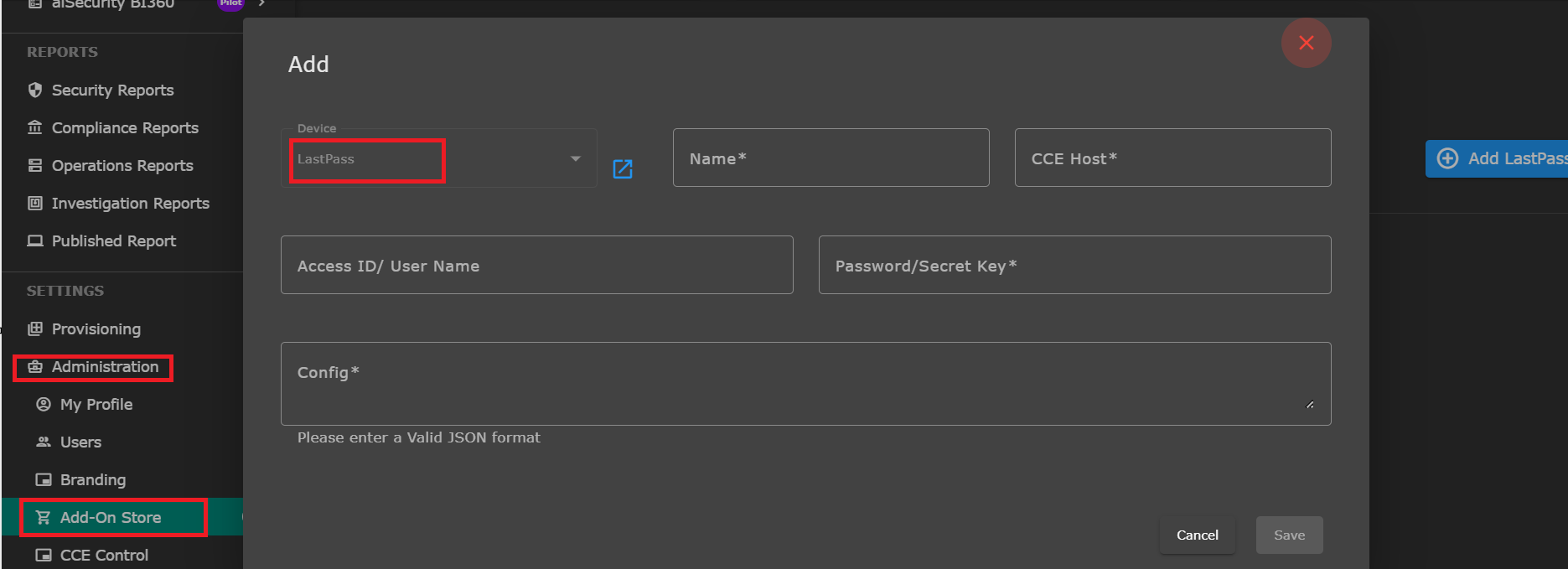
To add the LastPass support, follow the steps that are mentioned below.
Enter the name of the device.
Enter the Static CCE IP
Now enter the generated lastpass (API Secret) in password/Secret Key section.
Document to fetch API credentials: https://support.lastpass.com/s/document-item?language=en_US&bundleId=lastpass&topicId=LastPass/use-provisioning-api.html&_LANG=enus
Now in valid JSON Format in the add empty json
{}Click on the Save button.
Verification (MSSP Only)
Using UI
STEP 1: Login to UI >> SYSTEM
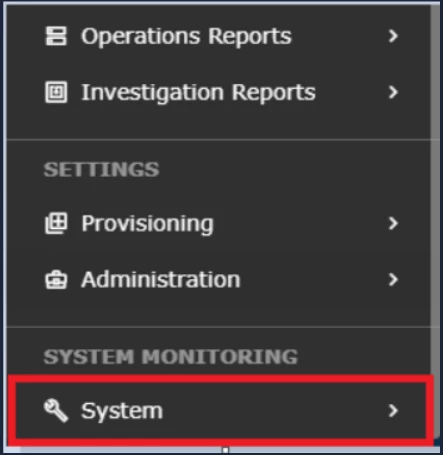
STEP 2: >> LOGS AND FLOWS COLLECTION STATUS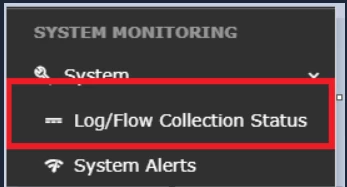
STEP 3: >>Inside SOURCE DEVICE IP, IP will reflect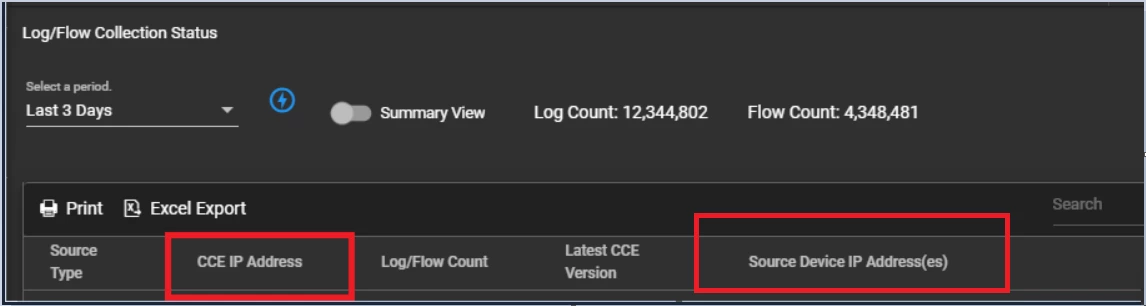
Was this article helpful?
That’s Great!
Thank you for your feedback
Sorry! We couldn't be helpful
Thank you for your feedback
Feedback sent
We appreciate your effort and will try to fix the article