TABLE OF CONTENTS
Configuration Steps - Syslog Forwarding
- Login to your Checkpoint Firewall.
- Under Network Management , go to "System Management → System Logging" and then to Remote System Logging and click Add. Configure System Remote logging as pictured.
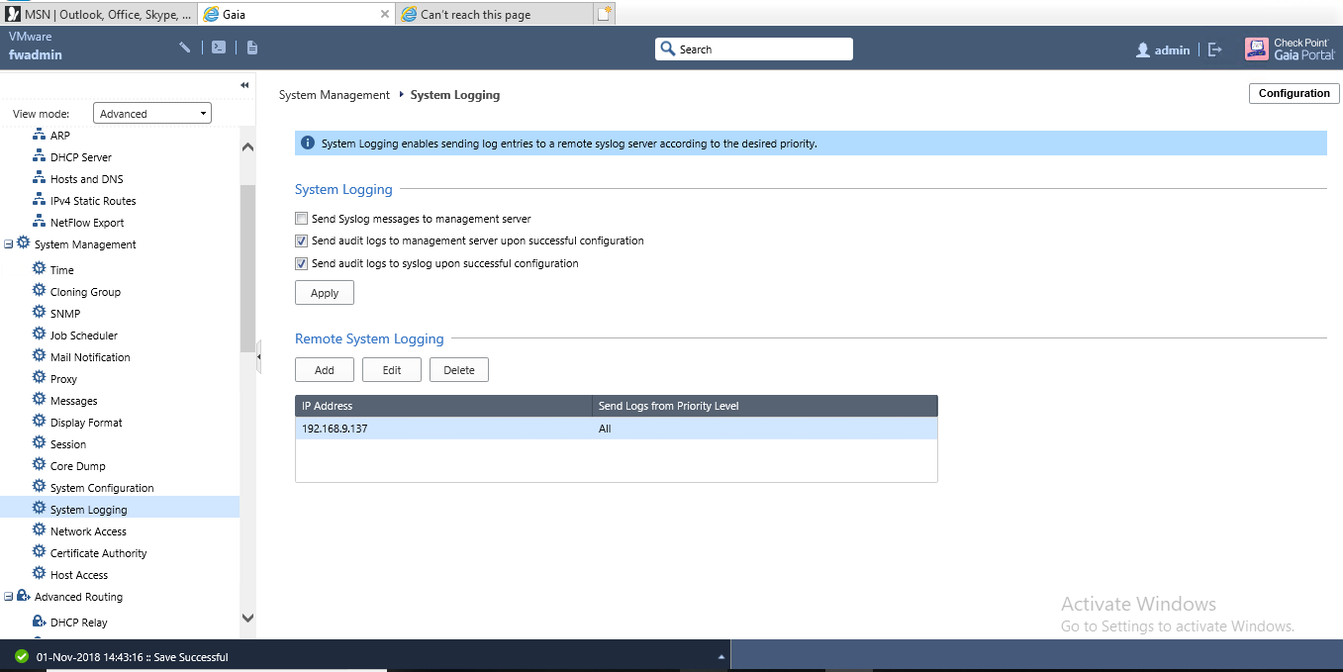
- When completed, apply the changes.
Configuration Steps - Netflow Forwarding
- Login to your Checkpoint Firewall.
- Navigate to Netflow Export, then select Add under Collectors.
- Fill in the ARIA CCE information.
IP Address: <COLLECTOR_IP>
UDP Port Number: 9995
Export Format: Netflow_V9
Source IP Address: Leave Blank
Enable: True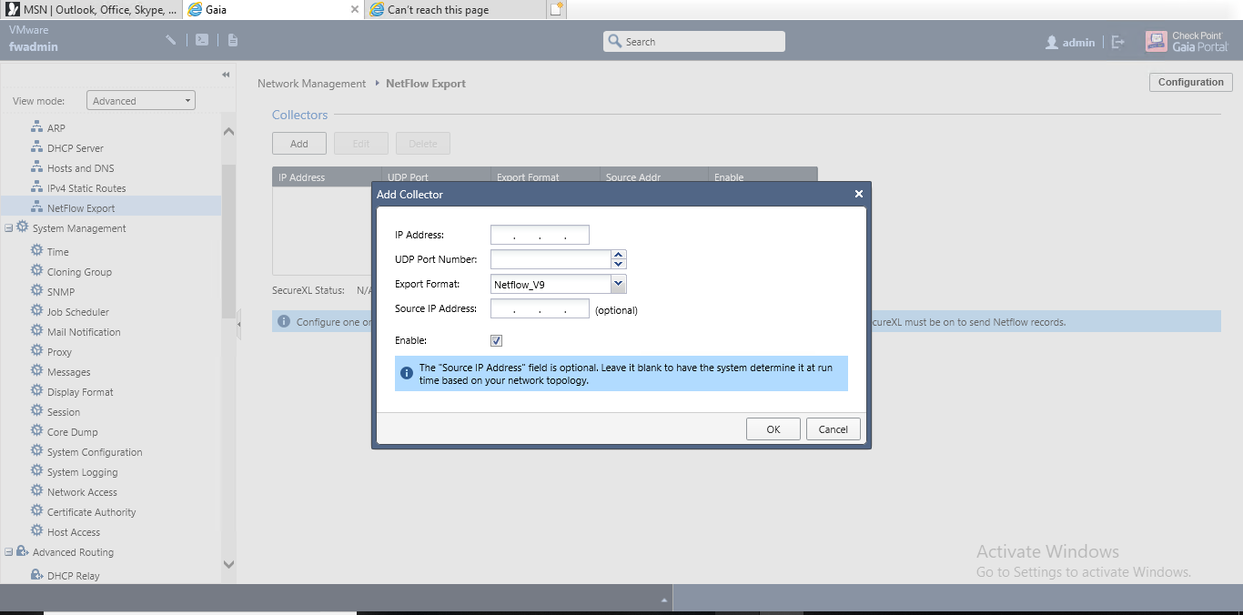
- Select OK to apply.
Was this article helpful?
That’s Great!
Thank you for your feedback
Sorry! We couldn't be helpful
Thank you for your feedback
Feedback sent
We appreciate your effort and will try to fix the article