TABLE OF CONTENTS
- Overview
- Prerequisites
- Step 1: Generate Google Threat Intelligence (GTI) API Key
- Step 2: Configure in ADR
- Step 3: Validation
- Troubleshooting
Overview
This document provides steps to integrate Mandiant (Google Threat Intelligence) with ADR/aiXDR for automated threat intelligence ingestion via API.
Prerequisites
Access to Google Cloud Console / Mandiant GTI platform.
Valid GTI API Key (Google Threat Intelligence).
ADR CCE Host IP or
127.0.0.1(for local setup).Network access from ADR CCE to GTI API endpoints.
Step 1: Generate Google Threat Intelligence (GTI) API Key
(Adapted from GTI official documentation)
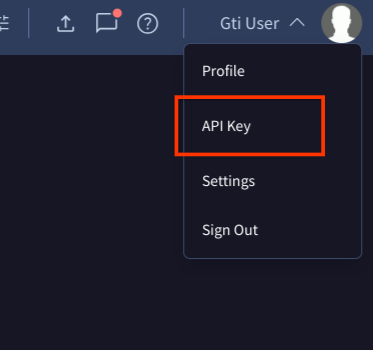
In order to get your API Key, just have to register. Once registered, sign in into your account and you will find your public API Key under your username:
In this page you can find your Google Threat Intelligence API Key string, your API allowances and consumption:

Step 2: Configure in ADR
Login to ADR UI as admin.
Navigate to:
Administration → Device Management → Add DeviceIn the Add Device form:
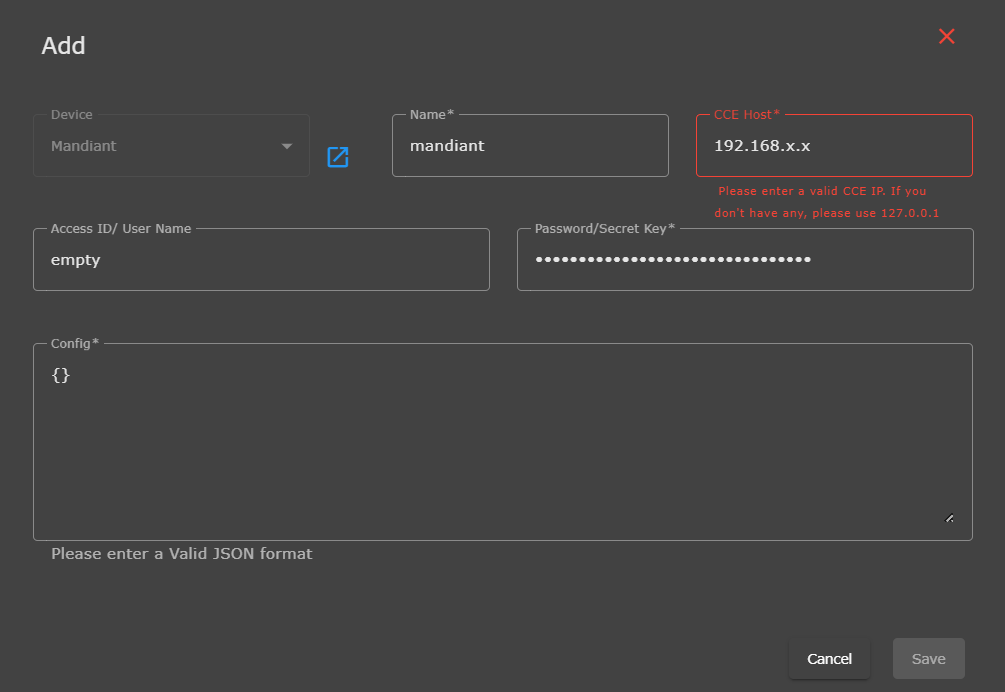
Device:
MandiantName:
mandiantCCE Host: Enter your valid CCE IP (e.g.,
192.168.x.x), or127.0.0.1if not applicable.Access ID/User Name:
emptyPassword/Secret Key: Paste the GTI API Key obtained earlier.
Config: Enter
{}(empty JSON).Example:
{}
Click Save to complete the integration.
Step 3: Validation
Go to Device Ingestion Inventory → Verify device status is Active/Connected.
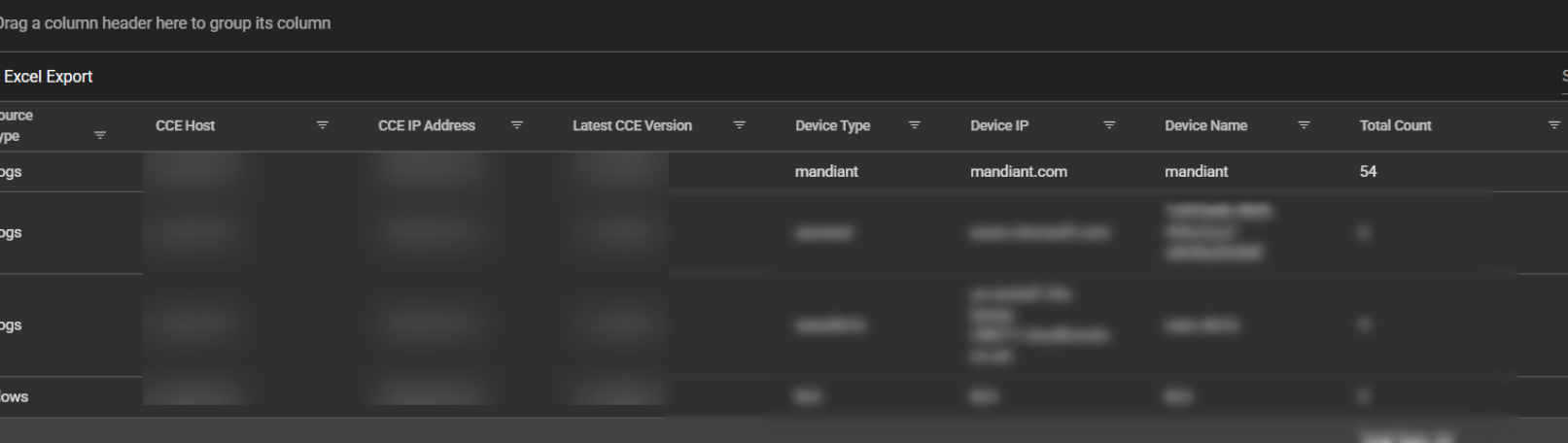
Validate ingestion count under Logs and Flow Collection Status Tab--> Device Type: Mandiant (e.g., total count shown in the dashboard).
Troubleshooting
| Issue | Possible Cause | Resolution |
|---|---|---|
| Invalid JSON | Wrong config format | Use {} exactly |
| Connection Error | Invalid or expired API key | Regenerate GTI API key |
| No data received | Missing permissions in API key scope | Recheck GTI project permissions |
| CCE IP error | Invalid host IP | Use valid CCE IP or 127.0.0.1 |
Was this article helpful?
That’s Great!
Thank you for your feedback
Sorry! We couldn't be helpful
Thank you for your feedback
Feedback sent
We appreciate your effort and will try to fix the article