TABLE OF CONTENTS
Overview
This article outlines the steps to configure Citrix ADC (formerly NetScaler) to send syslog events in CEF format to the ADR CCE platform using the GUI interface. It also provides best practices for avoiding time sync issues and ensures policy is applied correctly.
Pre-requisites
Administrative access to Citrix ADC (NetScaler) GUI.
IP address and port of the ADR CCE server.
Ensure required ports (default: UDP 514) are open between Citrix ADC and ADR.
Configuration Steps
Navigate to Syslog Configuration
Go to:
Configuration > System > Auditing > Syslog > Servers
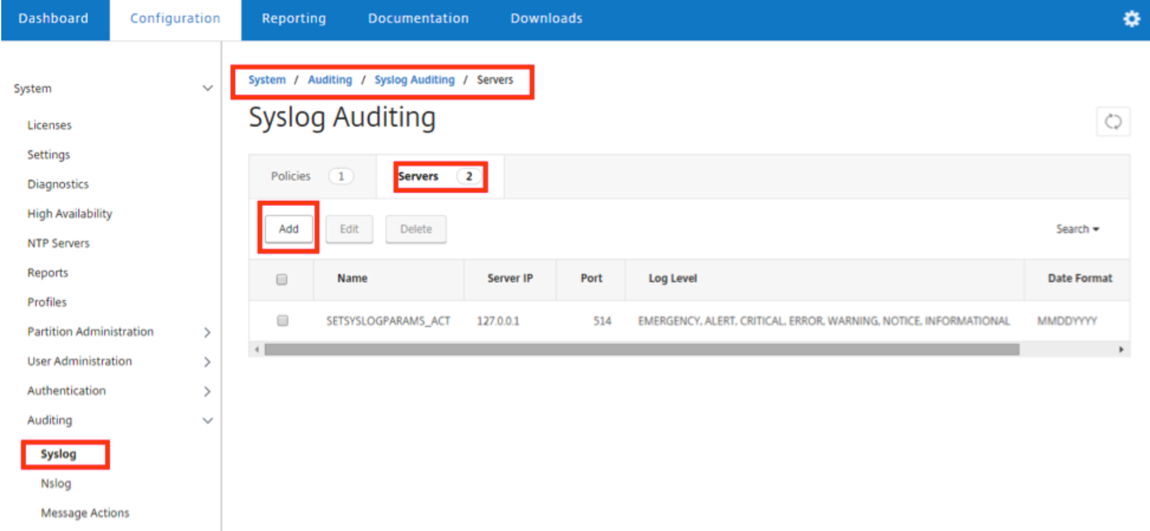
Add Syslog Server
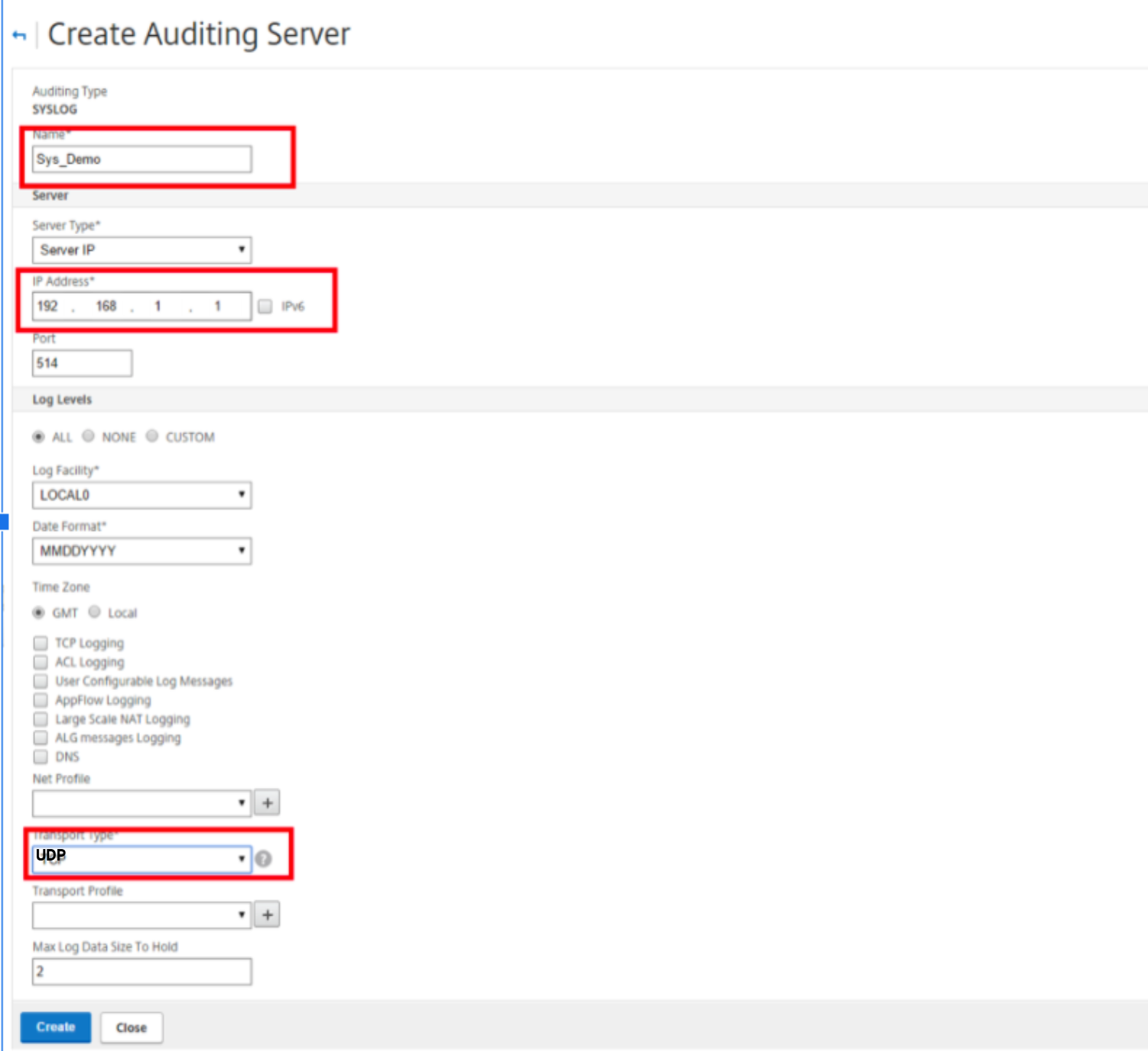
Click "Add" and fill in the following:
| Field | Value |
|---|---|
| Name | e.g., Sys_Seceon |
| Server Type | Server IP |
| IP Address | <Seceon CCE IP> |
| Port | 514 |
| Transport Type | UDP |
| Log Facility | LOCAL0 (or as required) |
| Date Format | MMDDYYYY |
| Time Zone | GMT ✔️ (Recommended to avoid time drift issues) |
| Log Levels | ALL |
| TCP Logging | Leave unchecked for UDP |
| UDP Logging | ✅ Enable |
Click "Create".
Create Syslog Policy
Navigate to: Configuration > System > Auditing > Syslog > Policies
Click Add and configure:
| Field | Value |
|---|---|
| Name | Syslog_Seceon_Policy |
| Auditing Type | SYSLOG |
| Expression Type | ✅ Advanced Policy (✔️ Recommended) |
| Server | Select the previously created server |
Click "Create".
Note: While “Classic Policy” is still supported, it is deprecated starting from ADC version 12.0 build 56.20. Prefer Advanced Policies.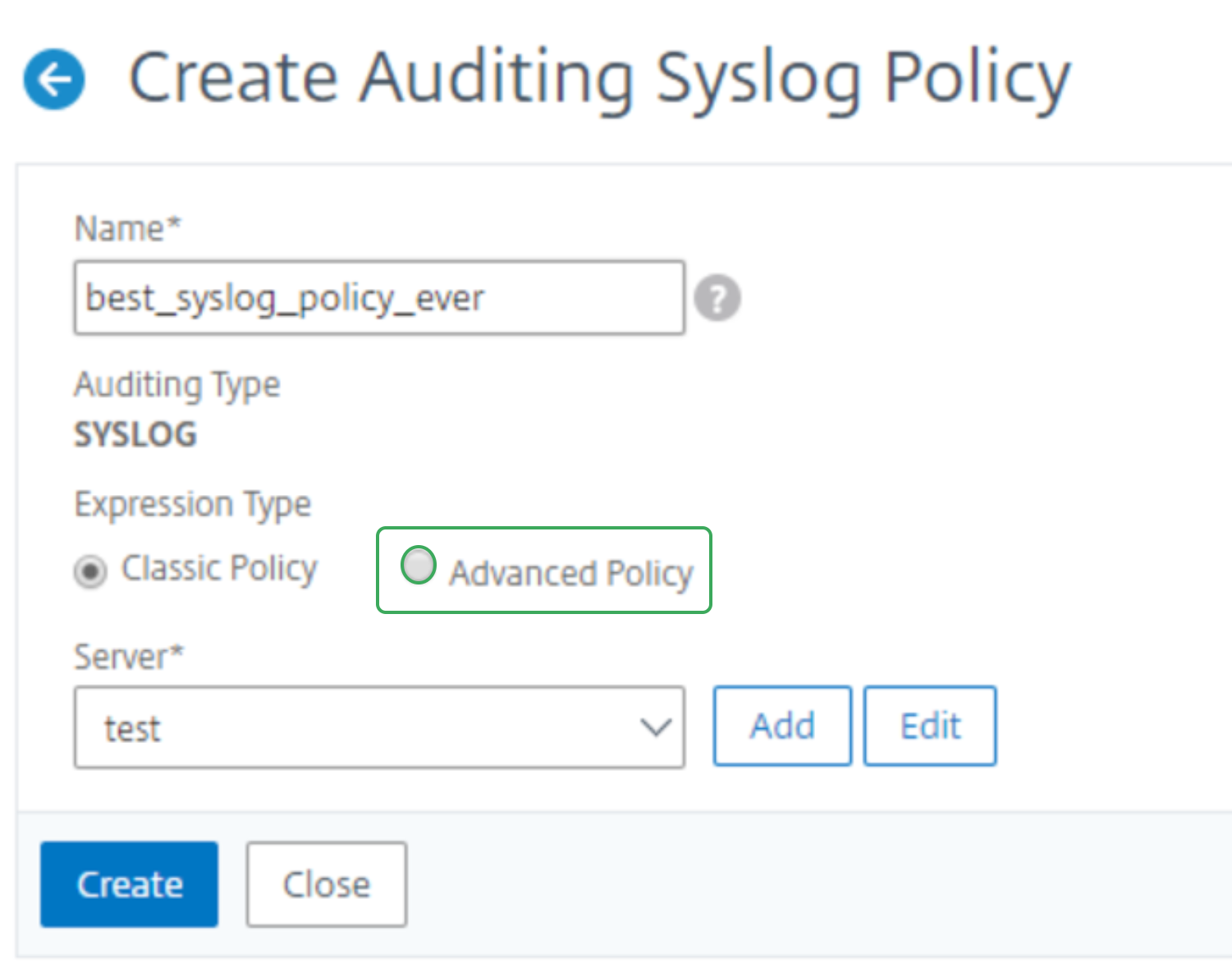
Bind the Policy Globally
Go to Policies tab > Action > Advanced Policy Global Bindings
Select the policy created above.
Click Bind
Click Done
Verification (MSSP Only)
After configuration:
Log in to ADR GUI Console with appropriate "Administrative" rights.
Go to:
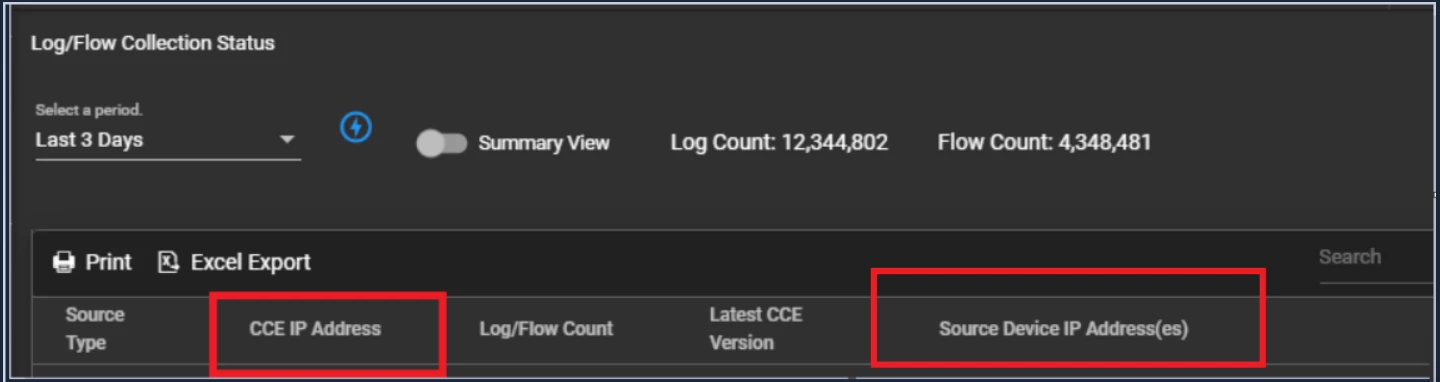
System > Logs and Flows Collection Status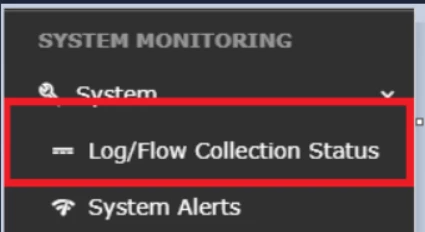
Check for:
Source Device IP: Should reflect Citrix ADC IP.
Device Name: Should match what’s configured.
Troubleshooting Tips
| Symptom | Solution |
|---|---|
| Logs not received | Verify UDP port 514 is open and reachable |
| Logs are missing timestamps or are in the wrong time zone | Confirm Time Zone is set to GMT |
| Inconsistent log data in the BI dashboard | Ensure correct log facility and level selection; check timestamp format |
| Policy not triggering | Check if the policy is bound globally |
| Data misalignment in ADR CCE | Sync both systems’ time zones and confirm data parsing format |
Was this article helpful?
That’s Great!
Thank you for your feedback
Sorry! We couldn't be helpful
Thank you for your feedback
Feedback sent
We appreciate your effort and will try to fix the article