TABLE OF CONTENTS
Overview
The Alcatel-Lucent OmniSwitch 6800 Series is a high-performance enterprise and carrier-grade switch platform. To gain centralized visibility and proactive threat detection, these switches support sFlow, enabling sampled traffic export to an external collector.
In this integration, the switch forwards sFlow data to the ADR Control and Collection Engine (CCE). The CCE then relays data to the Analytics and Policy Engine (APE) within ADR SIEM for real-time monitoring, anomaly detection, and threat correlation.
Prerequisites
Before proceeding, ensure:
Administrative access to the Alcatel OmniSwitch CLI.
ADR CCE IP address.
UDP port 6343 open between the switch and CCE.
Proper interface identification (port range or list).
Configuration Roadmap
Configure an sFlow receiver (CCE as destination).
Define sFlow samplers on relevant interfaces.
Optionally configure sampling header size.
Verify sFlow configuration on the switch.
Validate traffic visibility on ADR SIEM (UI + CCE).
Configuration Steps
Step 1: Configure sFlow Receiver
Run the following command:
-> sflow receiver 1 name Golden address <CCE_IP_Address>1= Receiver index.Golden= Friendly name for the session.<CCE_IP_Address>= IP of ADR CCE server.
Default settings:
UDP Port: 6343
Timeout: 65535
Step 2: Configure sFlow Sampler
Create a sampler for the required ports:
-> sflow sampler 1 2/1-5 receiver 1 rate 20481= Sampler instance ID.2/1-5= Ports to monitor.receiver 1= Refers to the sFlow receiver configured earlier.rate 2048= Sampling rate (1 in every 2048 packets).
Step 3: Configure Optional Parameters
To increase sampled packet header size (default is often 128 bytes):
-> sflow sampler 1 2/1-5 receiver 1 rate 2048 sample-hdr-size 128Step 4: Verify on Switch
Run the command:
-> show sflow receiverExpected Output Example:
Receiver 1
  Name       = Golden
  Address    = IPv4 <CCE_IP>
  UDP Port   = 6343
  Timeout    = 65535
  Packet Size= 1400
  DatagramVer= 5
Verification (MSSP Only)
On ADR CCE (CLI)
Run tcpdump to confirm sFlow packets are received:
sudo tcpdump -i any port 6343 and host <Switch_IP> -s0 -AAA<Switch_IP>= IP of the Alcatel switch.
On ADR SIEM UI
Log in to ADR SIEM UI.
Navigate: System → Logs and Flows Collection Status.
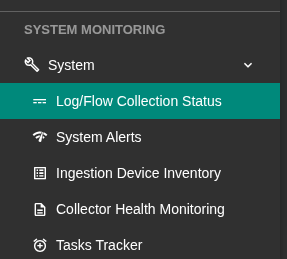
Confirm the Switch IP appears under Source Device IP.
Was this article helpful?
That’s Great!
Thank you for your feedback
Sorry! We couldn't be helpful
Thank you for your feedback
Feedback sent
We appreciate your effort and will try to fix the article