TABLE OF CONTENTS
Overview
Trend Micro Apex Central™ provides centralized control for Trend Micro products and services. This application simplifies the administration of corporate virus/malware and content security policies.
Configuration Steps
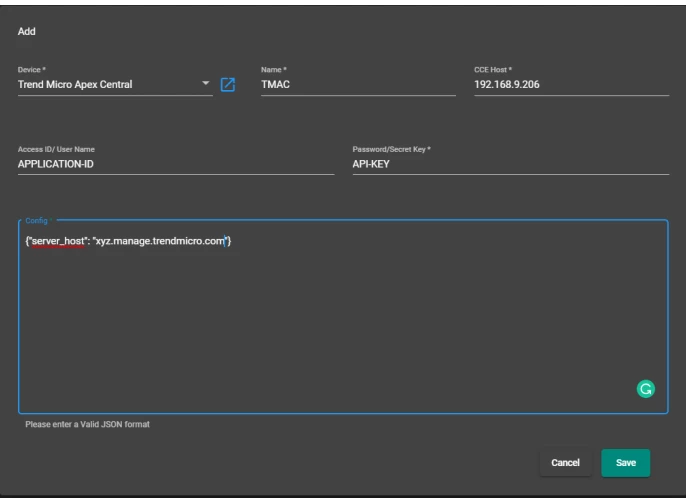
- Log in to the UI and navigate to Provisioning → Addon Devices → Add.
- In the Device field, select Trend Micro Apex Central.
- In the Name field, enter any preferred name.
- In the CCE Host field, enter the CCE IP.
- Enter your Access ID / Username (Application ID).
- Enter your Password / Secret Key (API Key).
- In the final field, enter a valid JSON configuration. Use the Trend Micro domain URL as shown below:
{"server_host": "xyz.manage.trendmicro.com"} - Click the Save button.
Verification
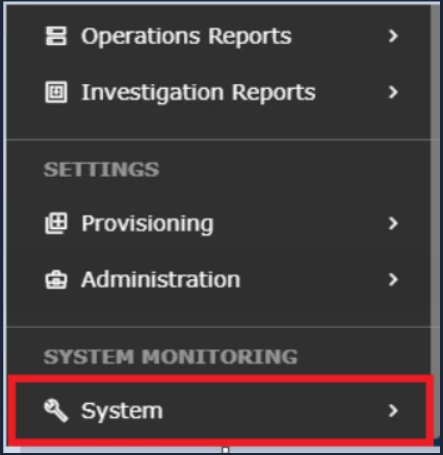
- Log in to UI → SYSTEM.
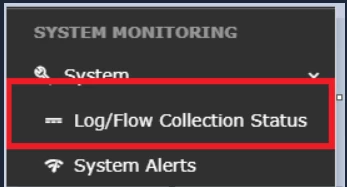
- Open LOG/FLOW COLLECTION STATUS.
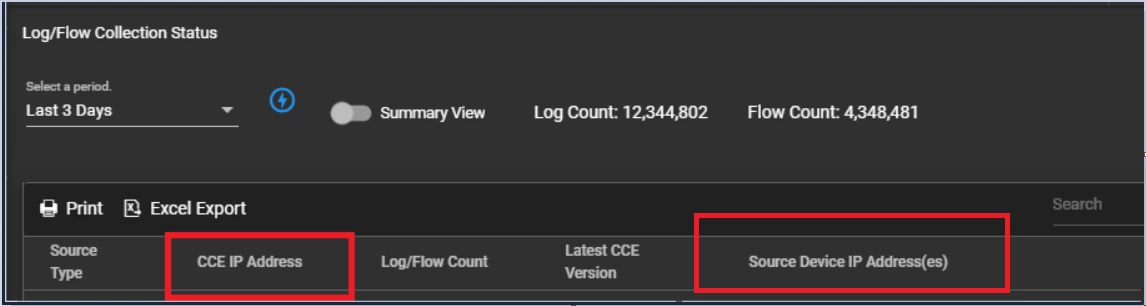
- Inside SOURCE DEVICE IP, the device IP should appear.
Was this article helpful?
That’s Great!
Thank you for your feedback
Sorry! We couldn't be helpful
Thank you for your feedback
Feedback sent
We appreciate your effort and will try to fix the article