TABLE OF CONTENTS
Overview
Cynet XDR is an Extended Detection and Response cybersecurity platform designed for automated threat detection, prevention, investigation, and response across endpoints, networks, and users. Integrating Cynet XDR with ADR SIEM enhances security monitoring and incident response capabilities.
Prerequisites
Client ID from Cynet.
Access Key and Secret Key generated from Cynet API User.
Domain format for API:
yourdomain.api.cynet.com(without https).Firewall configuration allowing outbound HTTPS connections on port 443.
Steps for Configuration
Step 1: Obtain Client ID
- Single Tenant: Contact Cynet support to receive your Client ID.
- Managed Service Provider (MSP): Log in to Cynet 360 console, navigate to
Global Settings > Client Site Manager > Sites Status, and note Client IDs registered.
Step 2: Create API User to Obtain Access Key and Secret Key
- Log into the Cynet Console.
- Navigate to
Settings > Users & Roles > API Userstab.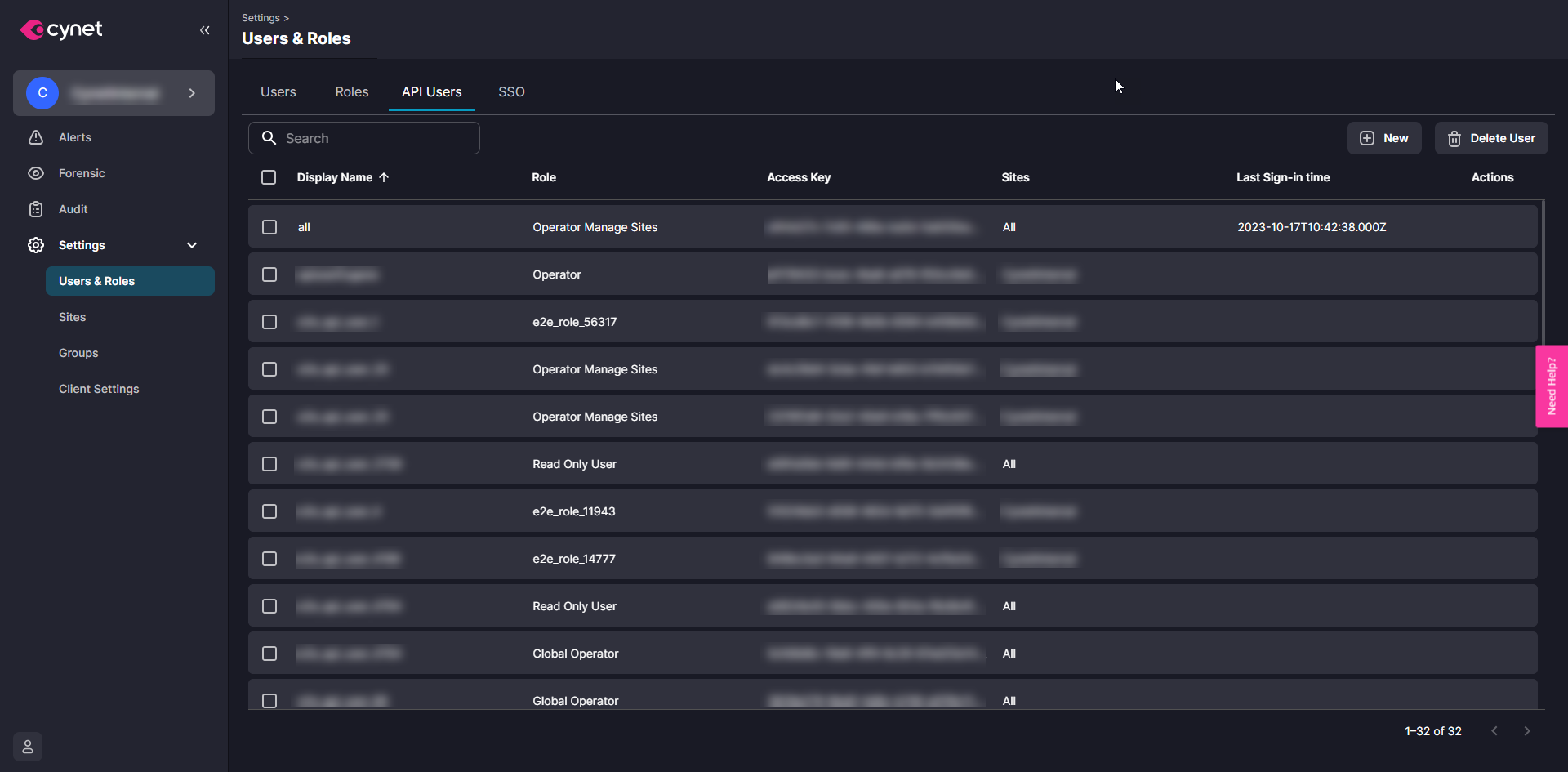
- Click New to create a new API user.
- Enter a name for the API user and select the appropriate role.
- Assign access to all or specific sites.
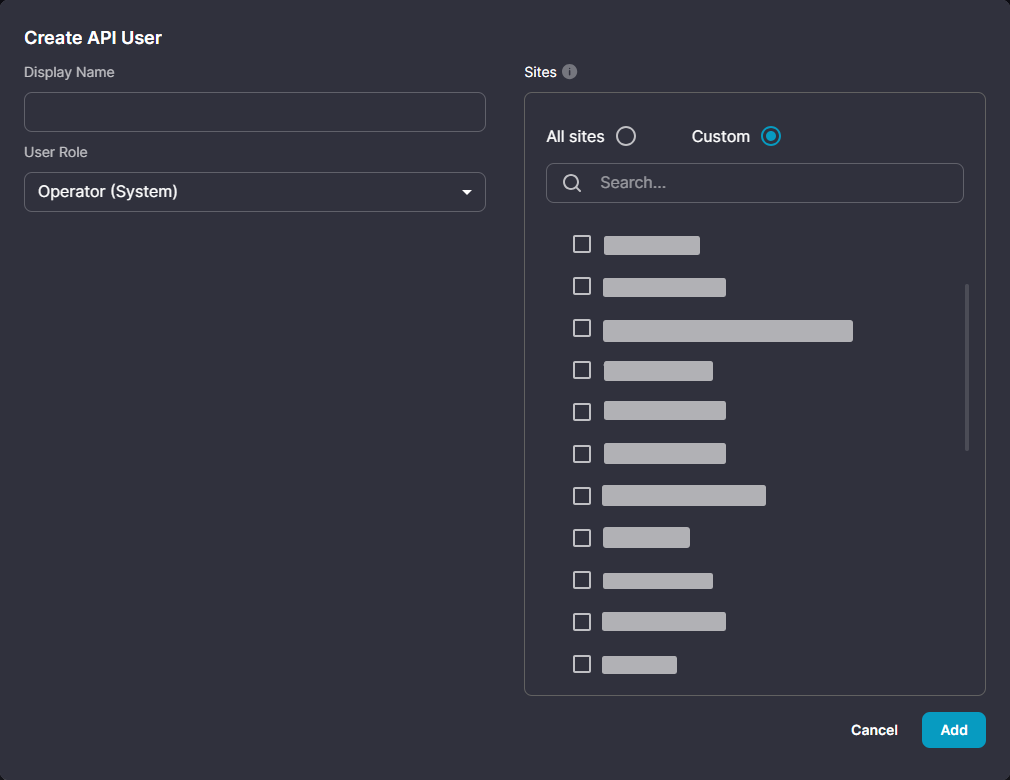
- Click Add and save the displayed Secret Key securely (shown only once).
- The Access Key is visible anytime from the API Users page.
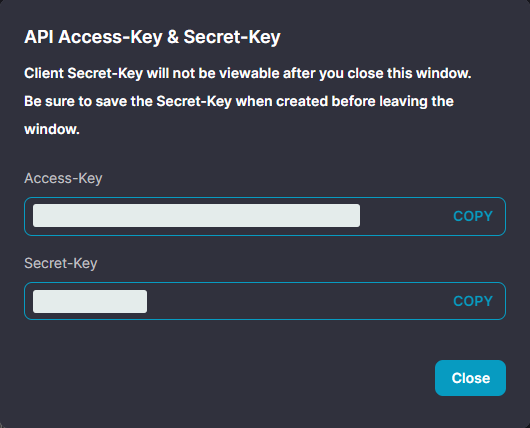
Step 3: Configure ADR UI for Cynet Integration
- Open ADR UI and navigate to
Administration > Add-On Store.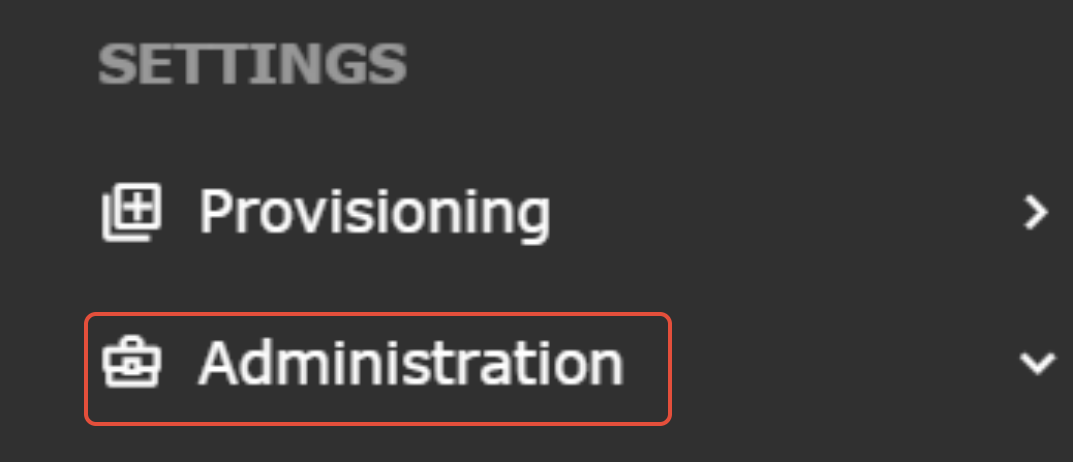
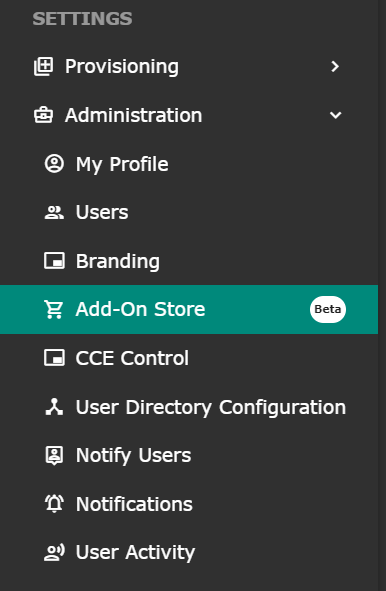
- Search for “Cynet XDR” and click Add.
- Enter the following fields:
- Access ID/Username: Paste the Access Key.
- Password/Secret Key: Paste the Secret Key.
- In the Config JSON section, provide the Client ID and Domain in this format:
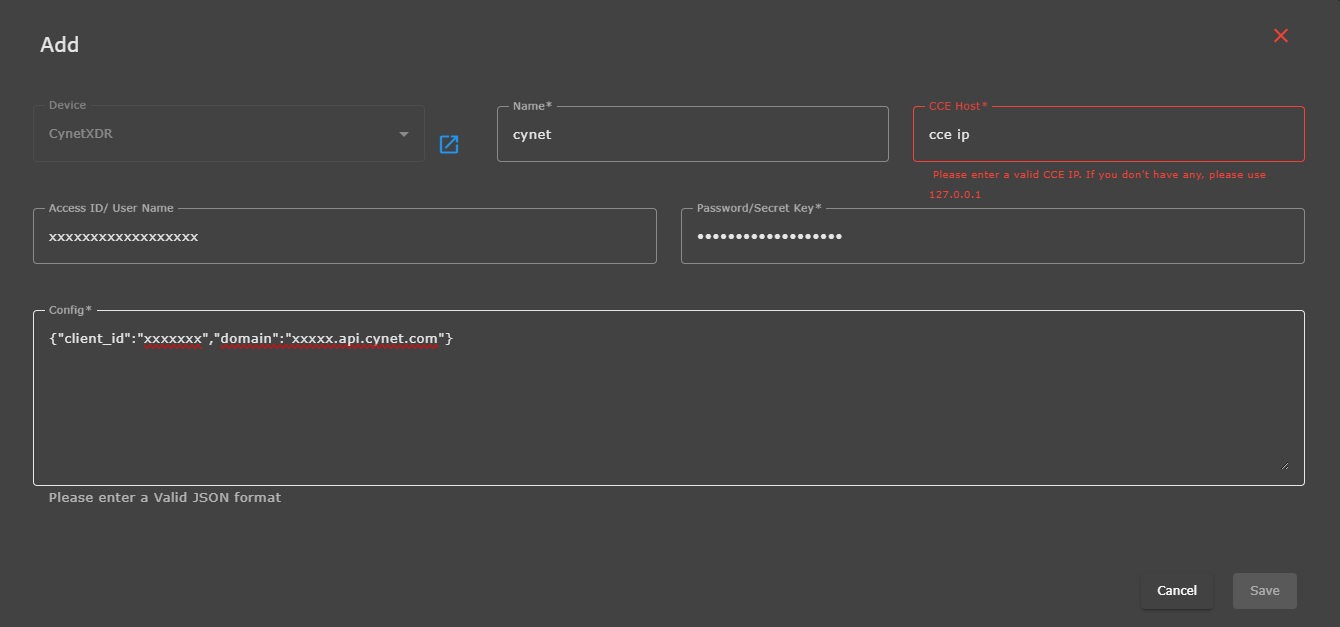
{ "clientid": "xxxxxxx", "domain": "yourdomain.api.cynet.com" } - Click Save to complete configuration.
Verification (MSSP Only)
On ADR UI
- Navigate to
System > LogFlow Collectionto verify log ingestion from Cynet.
On ADR CCE Server
- SSH into the CCE server.
- Run the command:
otmdoc -s addondevice
Enter the add-on container and execute:
crontab -l
to view cron jobs for all add-on devices.
Run the Python script corresponding to Cynet XDR manually to test data fetch.
Was this article helpful?
That’s Great!
Thank you for your feedback
Sorry! We couldn't be helpful
Thank you for your feedback
Feedback sent
We appreciate your effort and will try to fix the article