TABLE OF CONTENTS
Overview
The CCE (Collection and Control Engine) receives logs from FortiWeb using port 514 (UDP). Ensure that port 514 is allowed through the firewall.
Before logging into Syslog, you must enable it for the log type you want to use as a trigger. For more information, see Enabling log types, packet payload retention, & resource shortage alerts.
Steps of Configuration
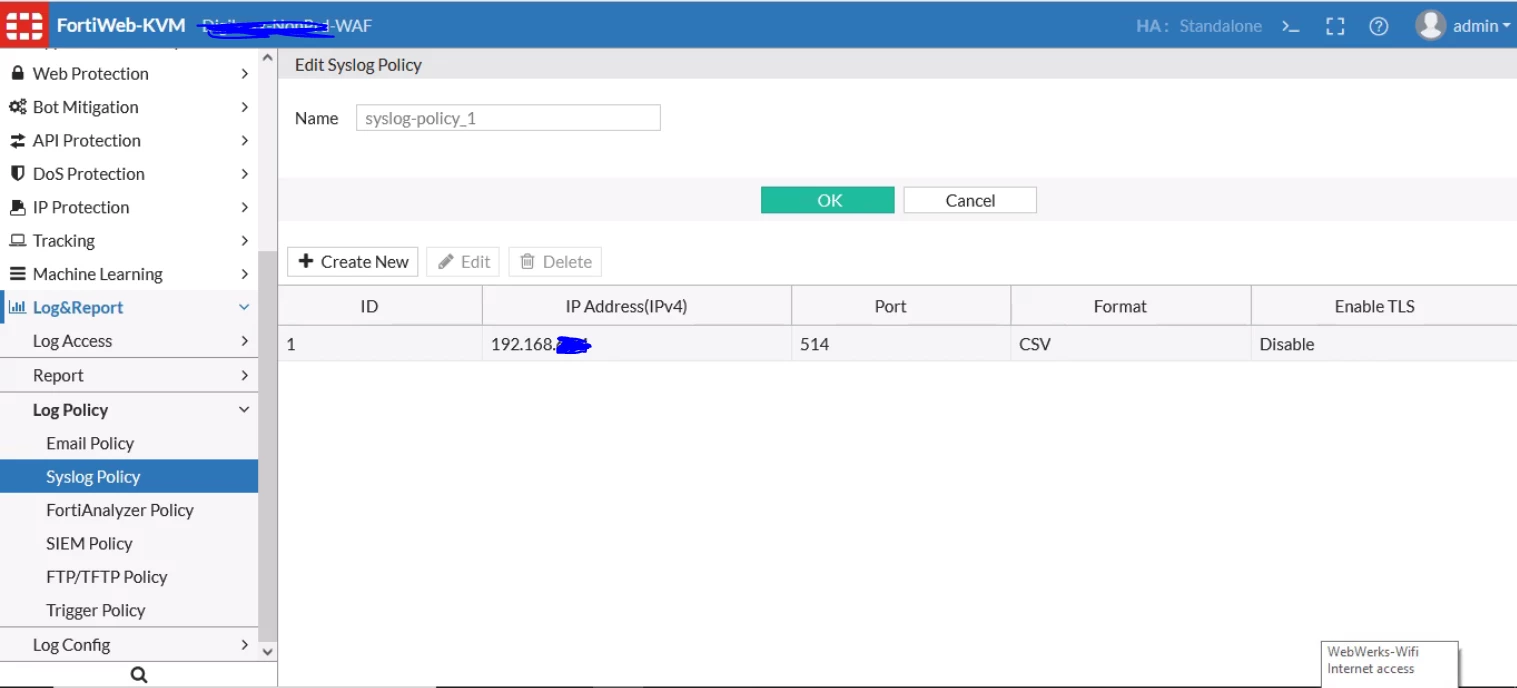
- Go to Log & Report > Log Policy > Syslog Policy.
Note: Your administrator account must have Read and Write permissions for the Log & Report category. For details, see Permissions. - Click Create New.
Note: If this is a new policy, enter a Policy Name that will be referenced in the configuration. - Click Create New again.
- In the IP Address field, enter the address of the remote Syslog server.
- In the Port field, enter the listening port number of the Syslog server. The default is 514.
- Enable the CSV Format checkbox if you want log messages sent in comma‑separated value (CSV) format.
- Click OK.
Verification of Configuration
Verification can be performed either from the CCE server or from the UI.
Using the UI
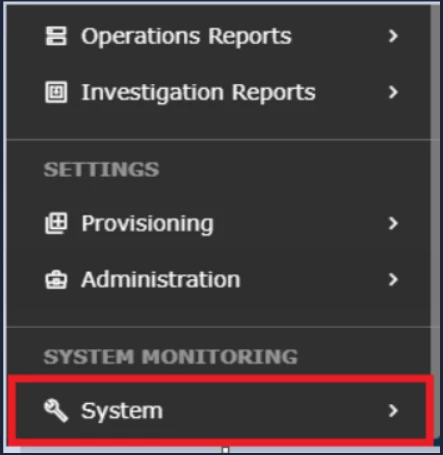
- Log in to the UI and go to SYSTEM.
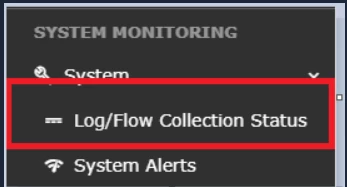
- Select Logs and Flows Collection Status.
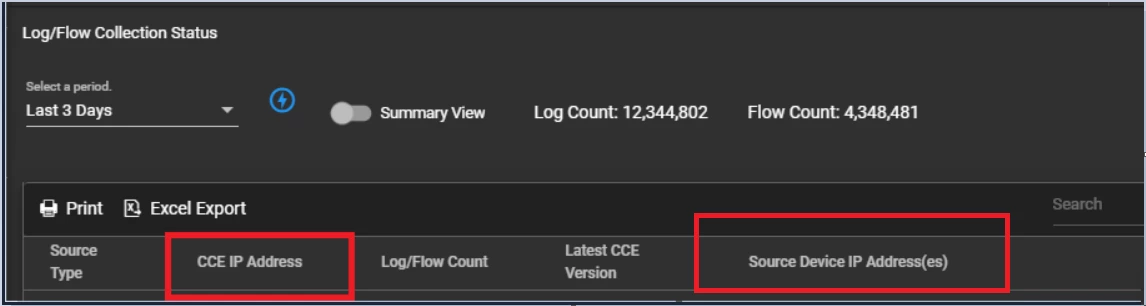
- Under Source Device IP, confirm that the device IP is displayed.
Using the CCE Server
Run the following command to verify whether logs are being received:
sudo tcpdump -i any host 514 and host <IP address> -AAA
Was this article helpful?
That’s Great!
Thank you for your feedback
Sorry! We couldn't be helpful
Thank you for your feedback
Feedback sent
We appreciate your effort and will try to fix the article