TABLE OF CONTENTS
Overview
Flexible NetFlow on Cisco routers and switches captures traffic flow metadata (source/destination IP, ports, protocol, ToS, interface information) for analysis. Integrating NetFlow with ADR SIEM via the CCE (Collection and Control Engine) enables comprehensive visibility, proactive threat detection, and performance monitoring.
Prerequisite
SSH access to Cisco device with privileged (enable/configure) mode.
ADR CCE server IP and UDP port 9995 open between device and CCE.
Choose a stable NetFlow source interface (e.g., loopback) to prevent flow loss.
Configuration Steps
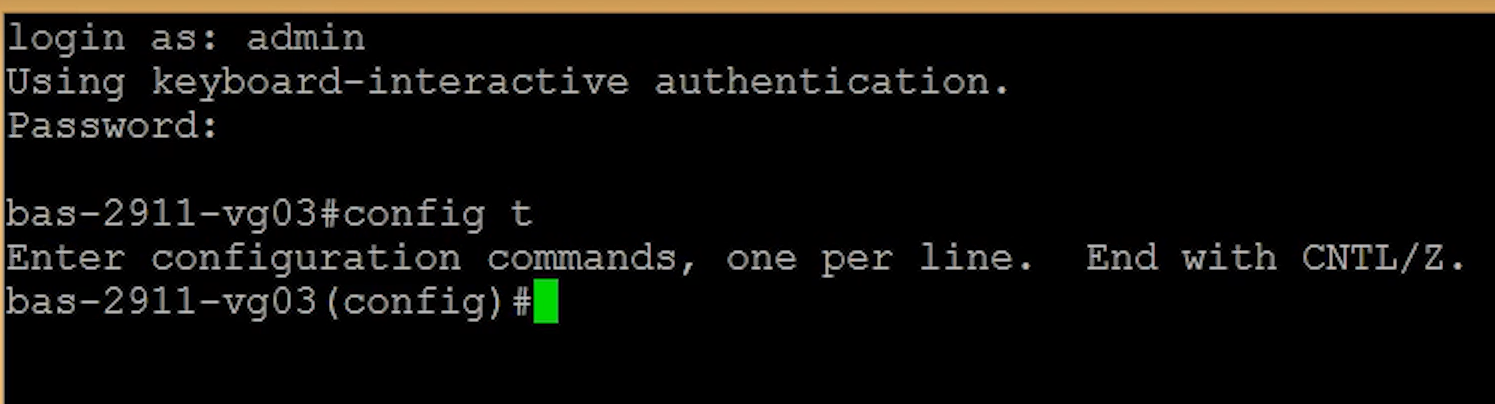
1. Log in to your router, and go into the global configuration mode by typing “config t “
2. Now create the flow record (put any record name, for example, NTA record):
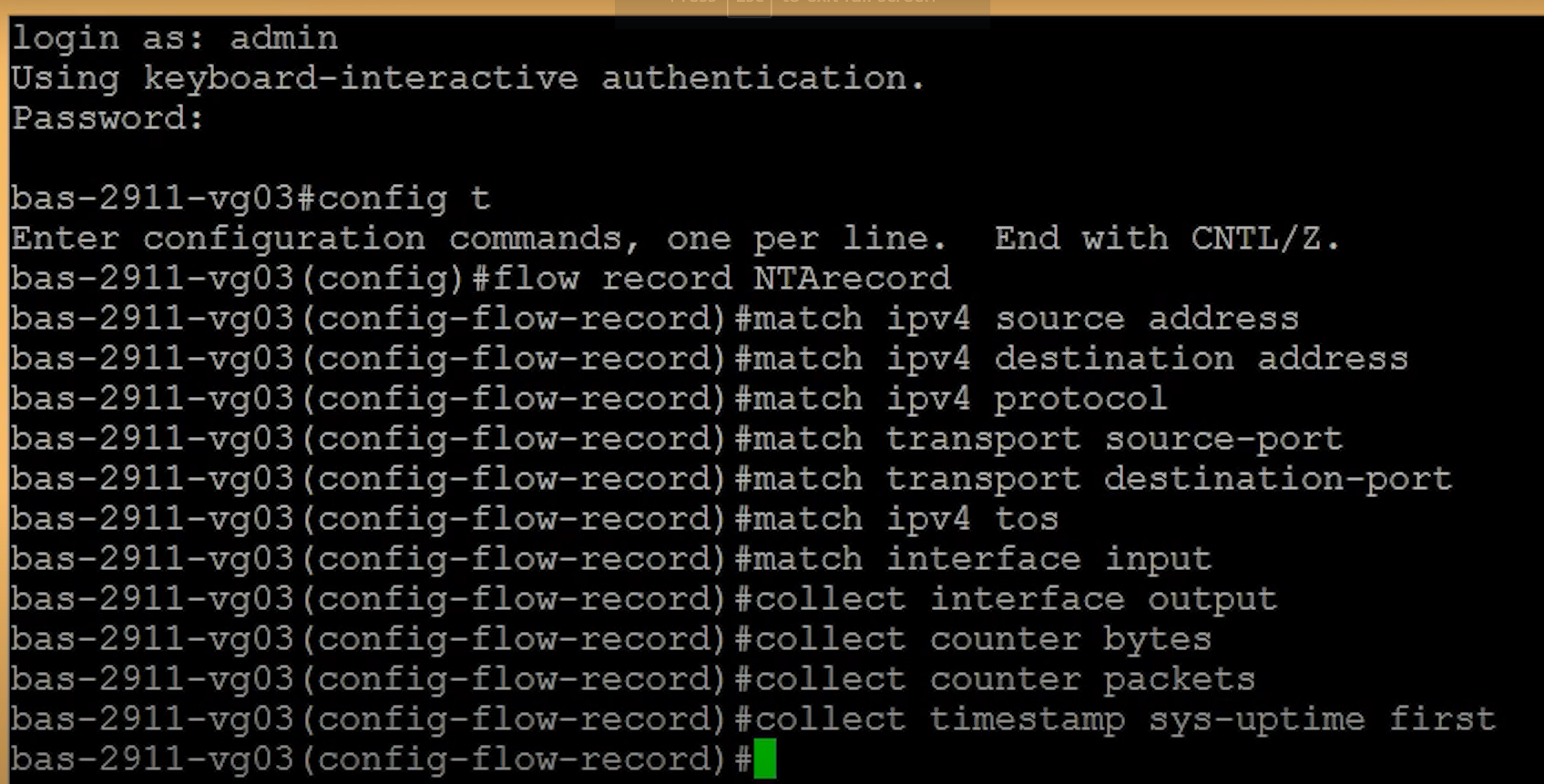
- #flow record NTA record
3. Now you will define match and collect statements to capture fields to include in the flow record.
#match ipv4 source address
#match ipv4 destination address
#match ipv4 protocol
#match transport source-port
#match transport destination-port
#match ipv4 tos (to collect the type of source data)
#match interface input (to collect ingress interface data )
#collect interface output (to collect egress interface data)
#collect counter bytes
#collect counter packets
#collect timestamp sys-uptime first
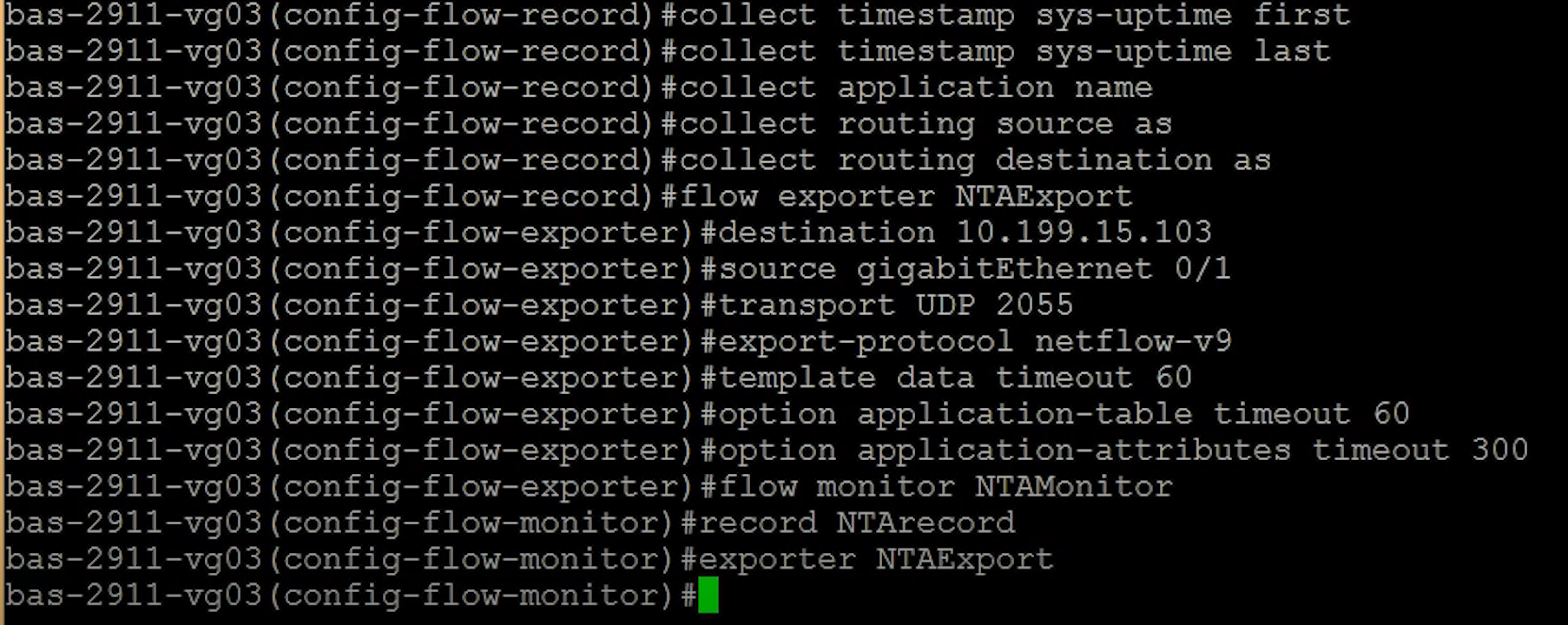
#collect timestamp sys-uptime last
#collect application name
#collect routing source as (to collect AS information)
#collecting routing destination as
#flow exporter NTAExport
#destination CCE_IP_Address
#source gigabitEthernnet 0/1
#transportation UDP 9995 (we will type: ”transport UDP 9995” because that’s the default used by SolarWinds Netflow Traffic Analyzer to listen for Network Packets)
#export-protocol netflow-v9
#template data timeout 60
#option application-table timeout 60
#option application-attributes timeout 300
#flow monitor NTAMonitor
#record NTARecord
#exporter NTAExporter
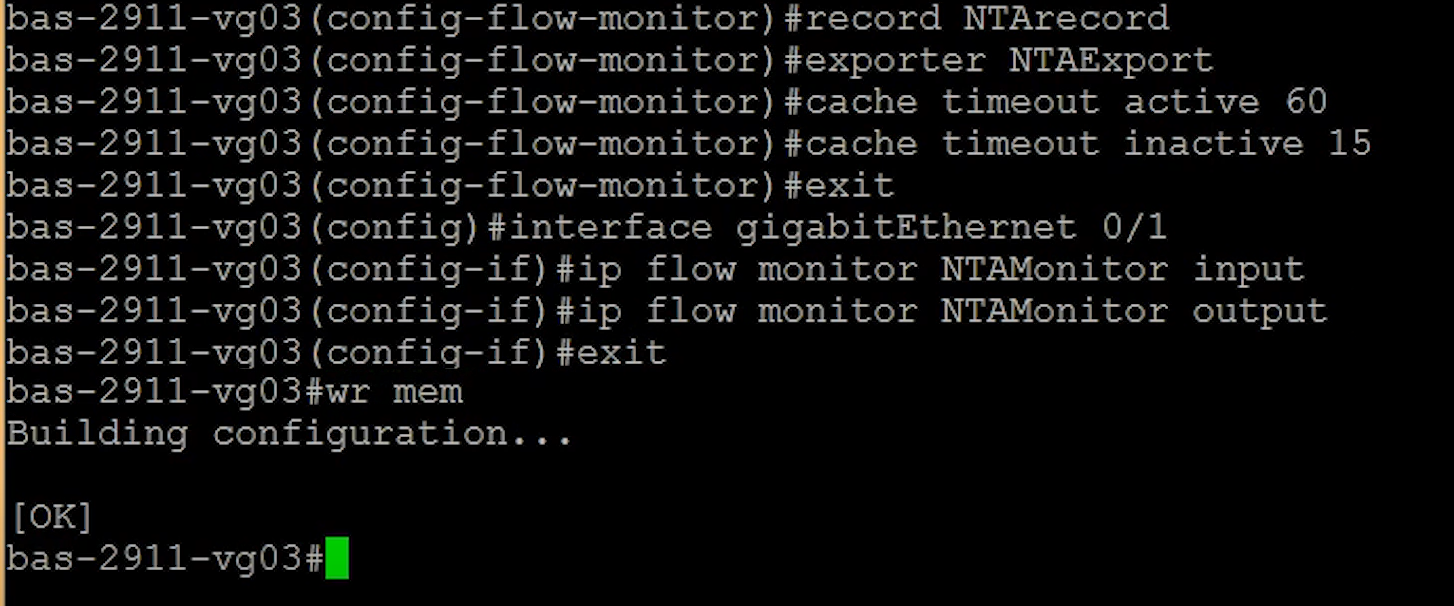
#cache timeout active 60
#cache timeout inactive 15
#exit
#interface gigabitEthernet 0/1
#ip flow monitor NTAMonitor input
#ip flow monitor NTAMonitor output
#exit
#wr mem (to save the configuration)
Verification (MSSP Only)
On ADR SIEM UI
Log in to the ADR SIEM UI.
- Navigate to System > Logs and Flows > Collection Status.
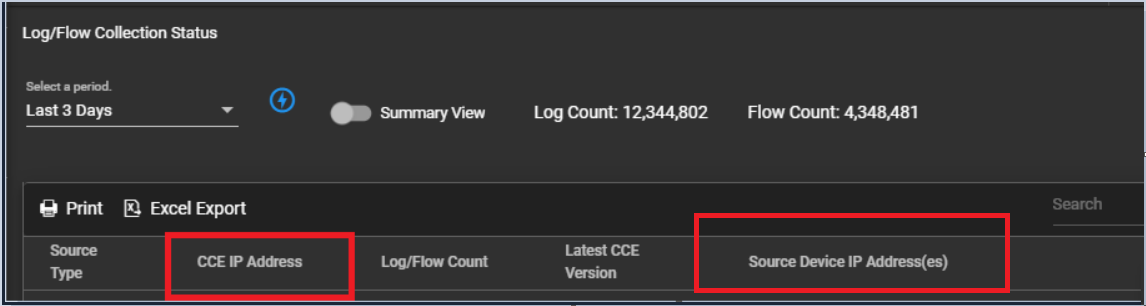
- Under Source Device IP, verify the Cisco device IP appears and flow counts are increasing.
ADR CCE Server CLI
Capture incoming netflow traffic:
sudo tcpdump -i any port 9995 and host <switch IP>Was this article helpful?
That’s Great!
Thank you for your feedback
Sorry! We couldn't be helpful
Thank you for your feedback
Feedback sent
We appreciate your effort and will try to fix the article