Thank you for your interest in Aria Zero Trust (AZT) PROTECT software. To activate your AZT license, complete the tasks below:
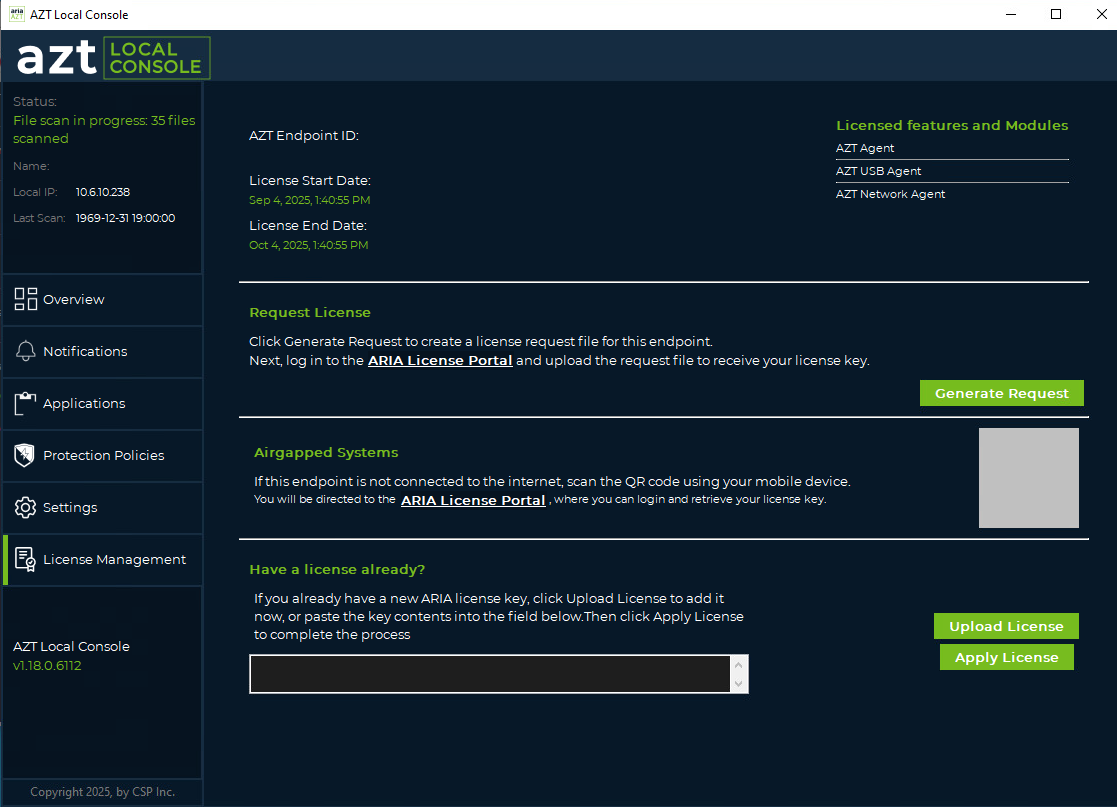
- Once your Trust Center is configured, please go to the AZT Local Console.
- Navigate to License Management.
- Select Generate Request to generate a license request file.
- Go to the ARIA License Portal to upload the request file.
- Once you receive the license file, in the AZT Local Console, click the Upload License button and then Apply License to apply the license.
Was this article helpful?
That’s Great!
Thank you for your feedback
Sorry! We couldn't be helpful
Thank you for your feedback
Feedback sent
We appreciate your effort and will try to fix the article